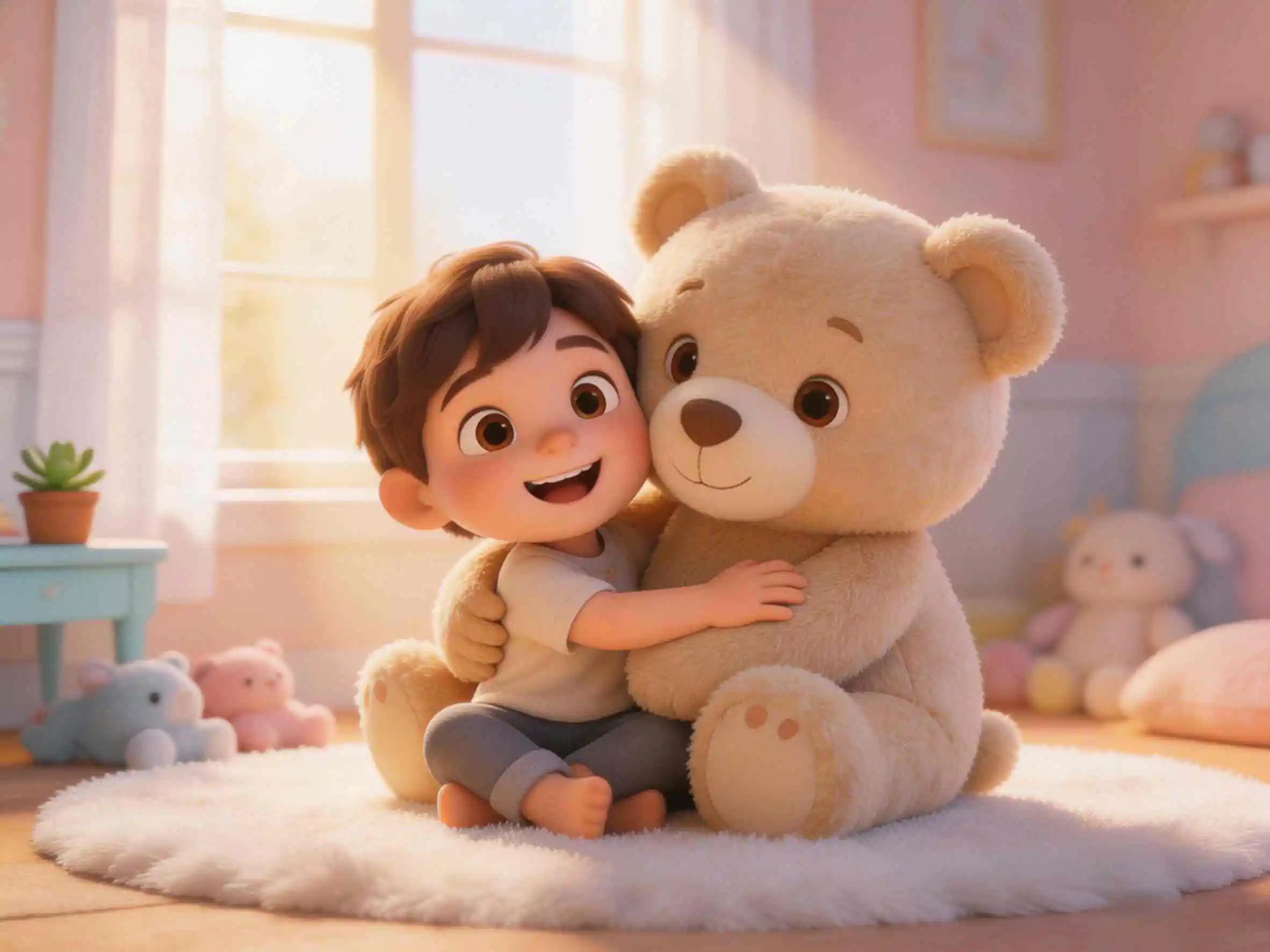
For ESL teachers and creators, writing an A2-level script takes an afternoon, while animating it — recording voices, fixing lip-sync, redrawing characters — takes weeks. An AI dialogue generator deletes that second step. Our latest A2 lesson, First Day of School: Where is My Classroom?, shows the result: a new student named Leo learns practical direction phrases from his classmate Mia, and the whole scene ships as a finished video instead of a to-do list.
KiVi AI turns a graded script straight into synchronized, multi-speaker animation — no voice actors, no manual keyframing, no extra audio editing. From A1–A2 graded stories to classroom roleplays, one workspace covers the full pipeline: script the dialogue, sync natural voiceovers, keep characters consistent, and publish fast enough to grow a channel.
Why A2 English Learners Need Story-Based Dialogue
For elementary English learners, the gap between memorizing word lists and holding a real conversation is fundamentally a context gap. A well-structured A2 English story closes it by placing essential grammar — past simple verbs, directional prepositions — inside a natural, low-stress storyline. Pair expressive cartoon visuals with clear, evenly paced dialogue and students absorb phrases intuitively instead of translating them word by word.
- A relatable scene: New student Leo stands in a bustling school lobby holding his timetable, searching for Room 204 — a first-day experience learners immediately map onto their own lives.
- Practical asking and giving directions: Classmate Mia guides him with high-frequency A2 phrases: "First, we go upstairs to the second floor. Now, go straight down this hallway, and turn left at the library."
- Natural grammar contrast (past vs. present): Tense shifts appear inside the conversation rather than in a drill: "I was very nervous five minutes ago, because I got lost. But now I'm excited!"
- Core A2 vocabulary reinforcement: lost, looking for, hallway, upstairs, go straight, turn left are anchored to visible character actions, so the words stick through dual coding — sound plus image.
Watch it: new student Leo gets lost on his first day of school, and classmate Mia guides him to Room 204 using clear A2-level English directions — dialogue, voices and lip sync generated in one pass.
Create an English Dialogue AnimationWhat the AI Dialogue Generator Solves: Four Pain Points
Producing a clear, well-paced conversation between animated characters has historically meant coordinating voice talent and spending hours on manual lip-syncing — costs that push most solo educators and small studios out of animated content entirely. With KiVi AI's dialogue generator, any graded script becomes a finished animated lesson in minutes. Here is what actually changes:
- Pain point 1 — voice production cost: A separate, clear voice is generated per character with automatic phoneme-accurate lip sync, so learners see correct pronunciation cues without any post-production alignment work.
- Pain point 2 — pacing that ignores learners: You paste your A2 script directly, or refine the conversational rhythm turn by turn, preserving the pauses students need for shadowing and repetition practice.
- Pain point 3 — character drift across scenes: Character IP Lock keeps Leo's and Mia's outfits, hairstyles and facial features identical as they move from lobby to stairs to hallway — the consistency problem that traditionally required frame-by-frame redraws.
- Pain point 4 — one style for every audience: Render classroom stories as vibrant 2D educational cartoons or expressive 3D animation (browse the animation styles gallery), so the same script can serve young learners and adult beginners.
How to Write an A2 ESL Dialogue Script (Template)
A dialogue video is only as good as the lines in it. Before generating anything, lock in one communicative function per scene and keep every turn under about 12 words — short enough for a readable subtitle and for a learner to echo out loud. This is the pattern the First Day of School scene follows:
| Dialogue function | A2 line to lock in | Where it lands in the scene |
|---|---|---|
| Greeting & self-introduction | "Hi, I'm Leo. It's my first day here." | School lobby |
| Asking for directions | "Excuse me, where is Room 204?" | Lobby, Leo holding his timetable |
| Sequencing a route | "First, go upstairs. Then go straight and turn left." | Stairs, then hallway |
| Checking understanding | "So, left at the library?" — "That's right." | In front of the library door |
| Past vs. present feelings | "I was nervous. Now I'm excited." | Closing shot, both walking in |
Two production rules follow from the script: give each character a clearly different voice so learners can tell speakers apart with their eyes closed, and never introduce more than one new structure per scene. Both are cheap to enforce at script stage and expensive to fix after animation.
How to Make an ESL Dialogue Video in KiVi AI
Turning that graded script into a publish-ready educational cartoon takes four steps, all inside the same workspace:
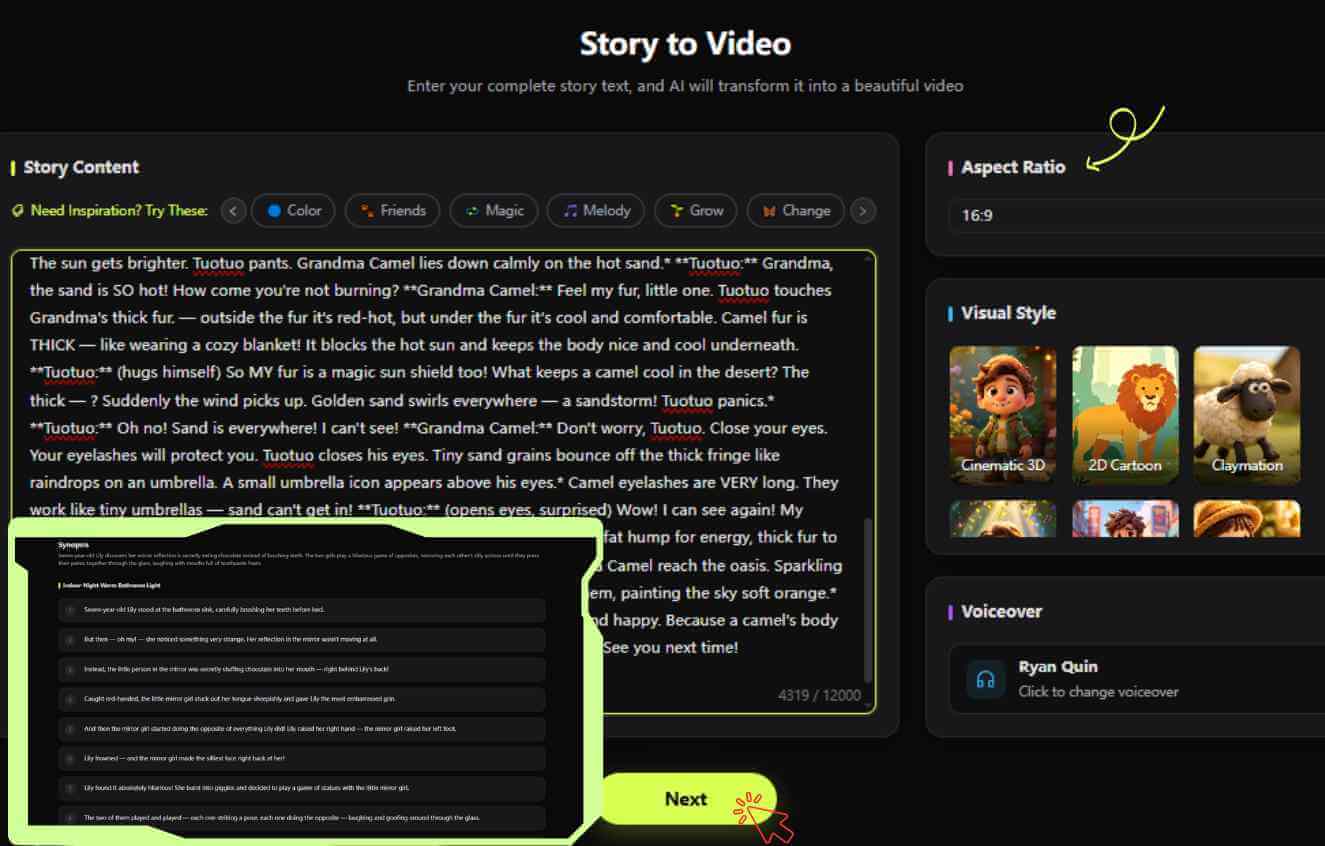
Step 1: Create Your Story
Start with a story or an idea, choose Narration or Character Dialogue, then set the video parameters: aspect ratio, language and visual style.
Step 2: Develop the Story & Dialogue Script
Let AI draft a story outline in Narration mode, or produce an editable script in Character Dialogue mode. Rewrite the lines here — vocabulary level, turn length, pause points — before anything is rendered.
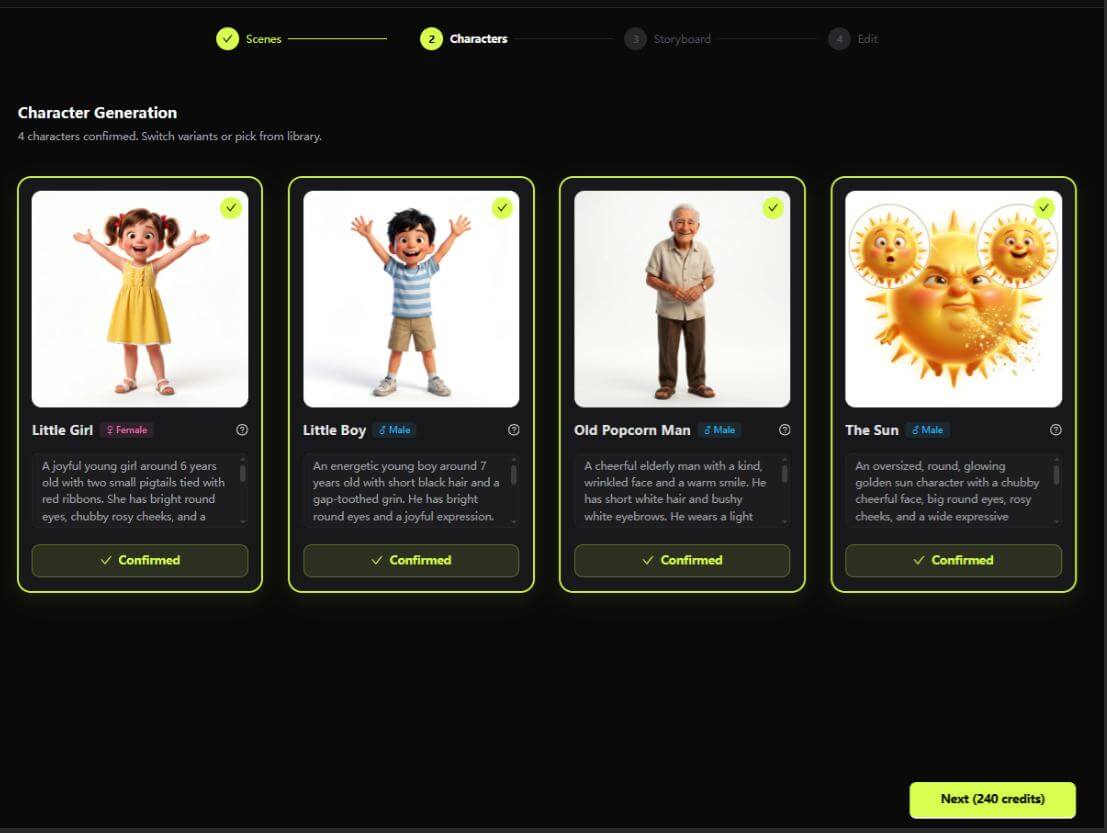
Step 3: Design Characters & Build Storyboards
Pick the AI-generated character designs, assign a distinct voice to each, and turn the script into storyboards. Adjust scene prompts and lines while the character models stay locked.
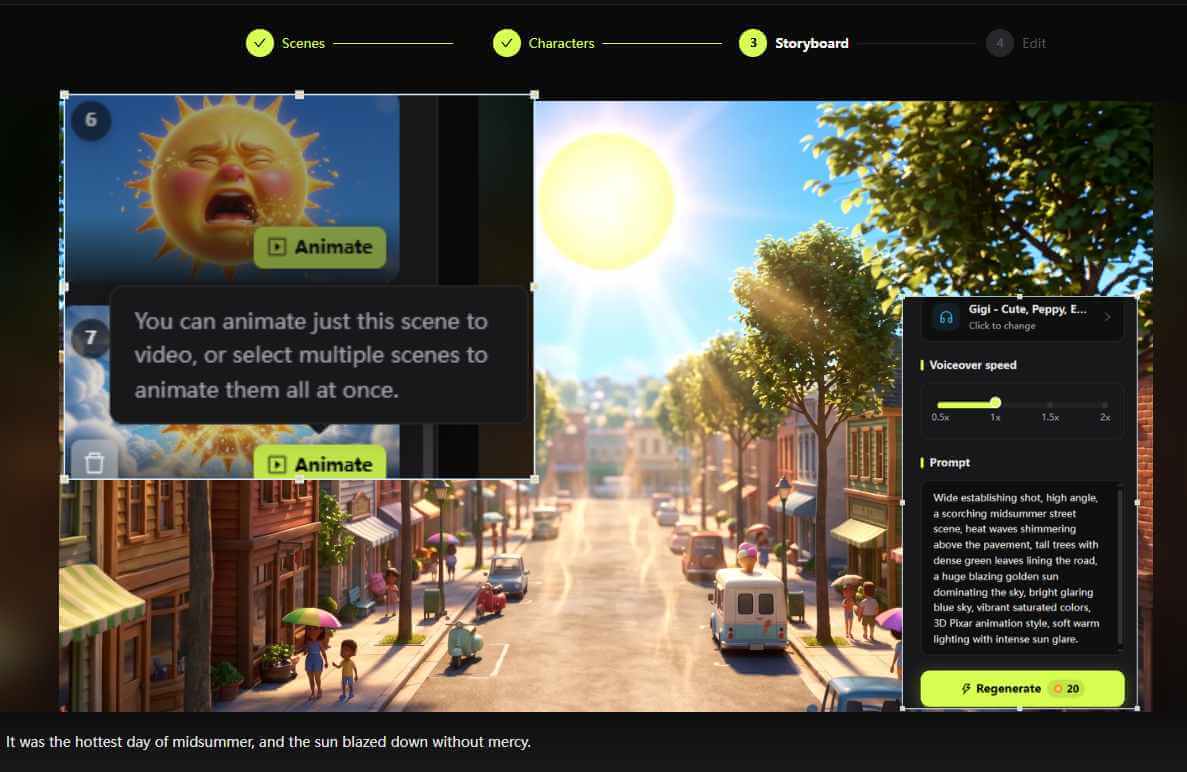
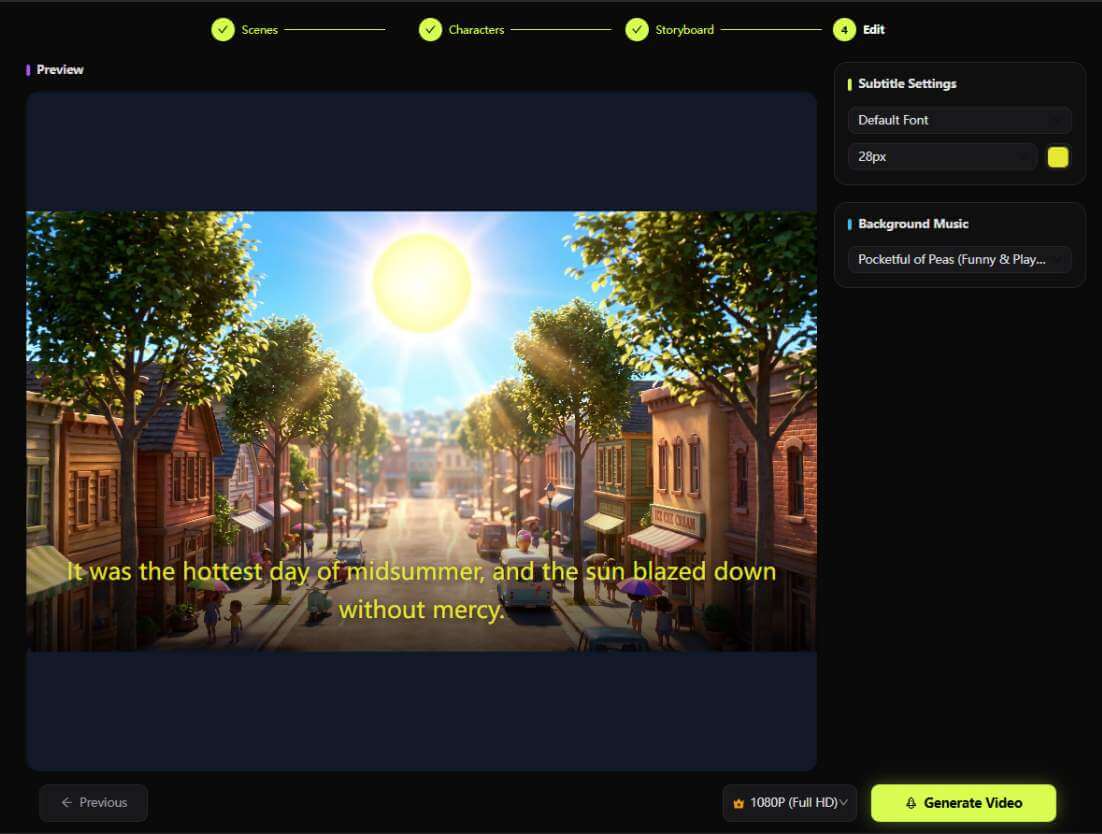
Step 4: Animate, Caption & Export
Animate the shots you keep, add subtitles and background music, review the lip sync, then export in 16:9 for the lesson or 9:16 for Shorts.
AI Dialogue Generator vs. Traditional ESL Production
A traditional animated language lesson coordinates voice talent, illustrators and video editors — and every script revision restarts part of that chain. A story-to-video workflow collapses it into a single editing surface:
| Production category | Traditional ESL video workflow | KiVi AI dialogue generator |
|---|---|---|
| Voiceover & pronunciation | Hire several native speakers, then align mouth shapes to the audio tracks by hand. | Generates a clear voice per speaker with automatic phoneme-accurate lip sync. |
| Character continuity | Redrawing the same students against different school backgrounds is slow and costly. | Character IP Lock holds Leo's and Mia's exact appearance across every scene cut. |
| Difficulty-level changes | Simplifying vocabulary from B1 down to A2 means re-recording audio and re-cutting scenes. | Edit any sentence in the browser and regenerate that scene within seconds. |
| Publishing frequency | A single two-minute animated dialogue lesson takes weeks to finish. | Multiple graded episodes can ship every week from the same template. |
Building an English Learning YouTube Channel
Learners follow recurring characters through familiar situations — which is exactly why series outperform one-off videos on retention. Pairing a structured CEFR-level script library with an automated character dialogue animation pipeline makes a sustainable channel realistic for a one- or two-person team:
- Build a graded episode series: Follow Leo and Mia from First Day of School to Ordering at a Restaurant, Shopping at the Supermarket and Visiting the Doctor to cover the core A2 topics in order.
- Design for shadowing practice: Keep turns clean and evenly paced so viewers can pause and repeat each line out loud — the highest-impact speaking habit at this level.
- Keep visual branding consistent: Reuse the same character models, thumbnail layout and end-screen vocabulary cards so students recognize the series before they read the title.
The compounding effect is the point: episode 10 costs a fraction of episode 1, because the cast, the style and the script skeleton already exist.
Explore the Educational Video GeneratorFrequently Asked Questions
Conclusion: Start With One A2 Story
Stories like First Day of School: Where is My Classroom? show what a well-designed A2 English story can do: relatable characters and clear visual context turn listening practice into something students look forward to. What used to require a production team now takes an afternoon.
Whether you are growing an ESL YouTube channel, building classroom materials, or developing a recurring cartoon series, KiVi AI keeps the work on teaching instead of production overhead. Script your next lesson, generate the character dialogue animation, and publish it this week.
Ready to animate your A2 English story script?
Turn your ESL dialogues into multi-character cartoon videos with KiVi AI's dialogue generator.