
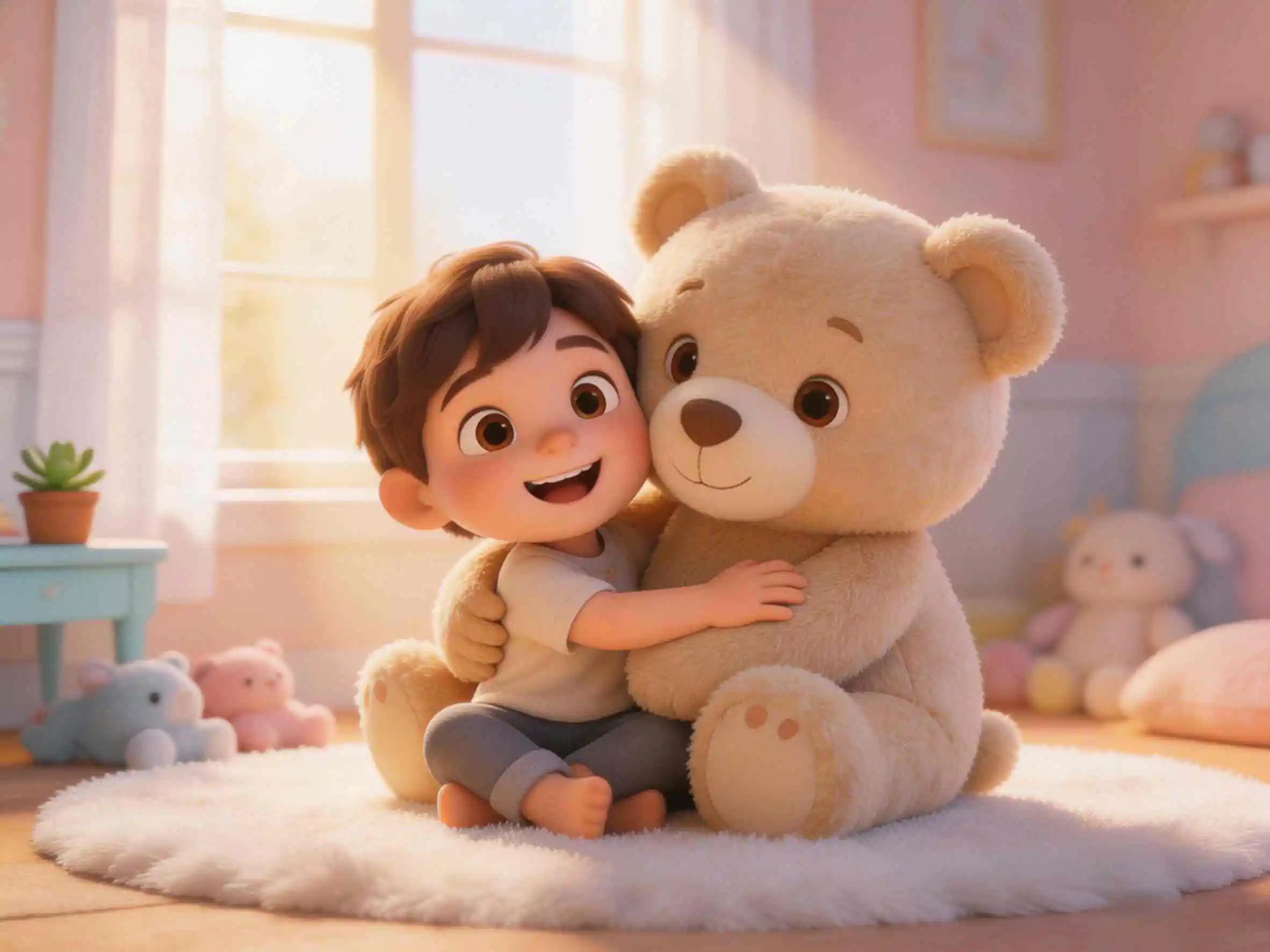
Predictable, reassuring stories help young children navigate intimidating milestones like visiting the doctor. In our latest animation showcase, Coco Visits the Doctor, a little bear overcomes anxiety through a calm, step-by-step checkup guided by gentle communication.
To make story-driven animation effortless, KiVi AI has launched our powerful AI dialogue generator. Creators and educators can now produce synchronized multi-speaker character dialogue without complex manual keyframing or tedious audio editing setups.
Whether crafting social stories for toddlers or educational videos for preschoolers, KiVi AI streamlines your entire workflow. Use our intuitive dialogue generator to script interactions, sync soothing voiceovers, preserve visual character consistency, and grow your channel with top-tier YouTube Kids content.
A Gentle Social Story: Coco Visits the Doctor
Social stories serve as psychological roadmaps for young children aged 3 to 12. By visually and audibly demonstrating what happens during routine medical checkups, children can internalize expected steps, replacing fear of the unknown with emotional comfort and personal confidence. With an intuitive free social story creator, combining soft visual aesthetics with clear, calm dialogue allows creators to deliver stories that both parents and kids love.
- Validating Initial Emotions: Little bear Coco starts the morning feeling anxious about visiting the clinic. Explicitly recognizing Coco's worry helps young viewers relate to the character and validate their own feelings.
- Explaining the Process Step-by-Step: Coco’s parent clearly outlines the upcoming sequence: sitting quietly in the waiting room, greeting the friendly doctor, having heartbeats checked, and having ears inspected.
- Reassuring & Transparent Dialogue: The doctor speaks gently and explains every procedure before acting—saying things like, "First, I am going to place this cool stethoscope gently on your chest to hear your quiet heartbeat."
- Empowering Emotional Resolution: The visit concludes on an empowering note of personal growth, as Coco proudly proclaims: “I knew what to expect, and I was brave!”
Example concept: Little bear Coco feels nervous before visiting the clinic, but gentle explanations from parent and doctor make the visit calm, predictable, and reassuring.
Create Character Dialogue AnimationKey Capabilities of KiVi AI’s AI Dialogue Generator
Generating interactive conversations between multiple characters has historically been one of the most time-consuming hurdles in animation production. With our newly launched AI dialogue generator, KiVi AI resolves these complexities into an automated, highly flexible workspace. Whether you produce multi-speaker educational videos or heartwarming social stories, creating natural character dialogue takes just minutes.
- Multi-Speaker Voice Assignment & Lip Sync: Assign unique, comforting voice profiles to multiple characters (such as Parent Bear, Doctor, and Coco) and automatically achieve perfectly synchronized lip movements and facial gestures.
- Context-Aware Dialogue Generator: Type custom scripted lines directly or enter prompt outlines; our intelligent dialogue generator refines conversational pacing and emotional tone tailored specifically for young audience comprehension.
- Integrated Character IP Lock: Prevent visual drift during turn-taking scenes. Character facial proportions, fur textures, and outfit details stay identical across back-and-forth talking shots.
- Stylistic Flexibility across different cartoon styles for AI: Seamlessly render character dialogue in 3D Pixar-inspired styles, soft storybook style, or stop-motion claymation while maintaining expressive eye movements and mouth articulation.
Step-by-Step Workflow: Crafting Dialogue Scenes in KiVi AI
Building an animated social story with multi-character audio is simple with KiVi AI. Follow these straightforward steps to turn your story or idea into a publish-ready video:
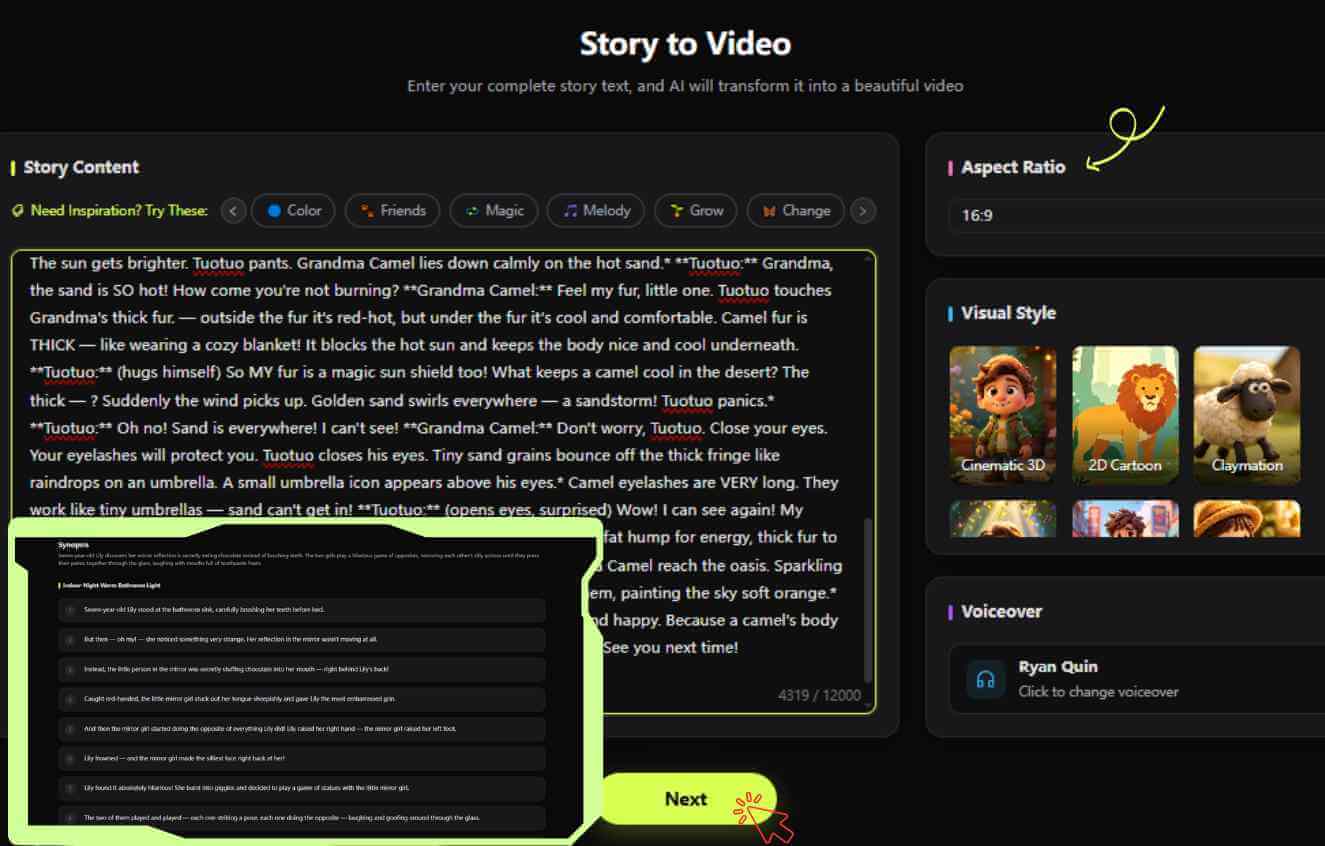
Step 1: Input Script into the AI Dialogue Generator
Paste your dialogic text into the KiVi AI dashboard. Assign line turns clearly between Coco, the parent bear, and the gentle doctor to establish conversational timing.
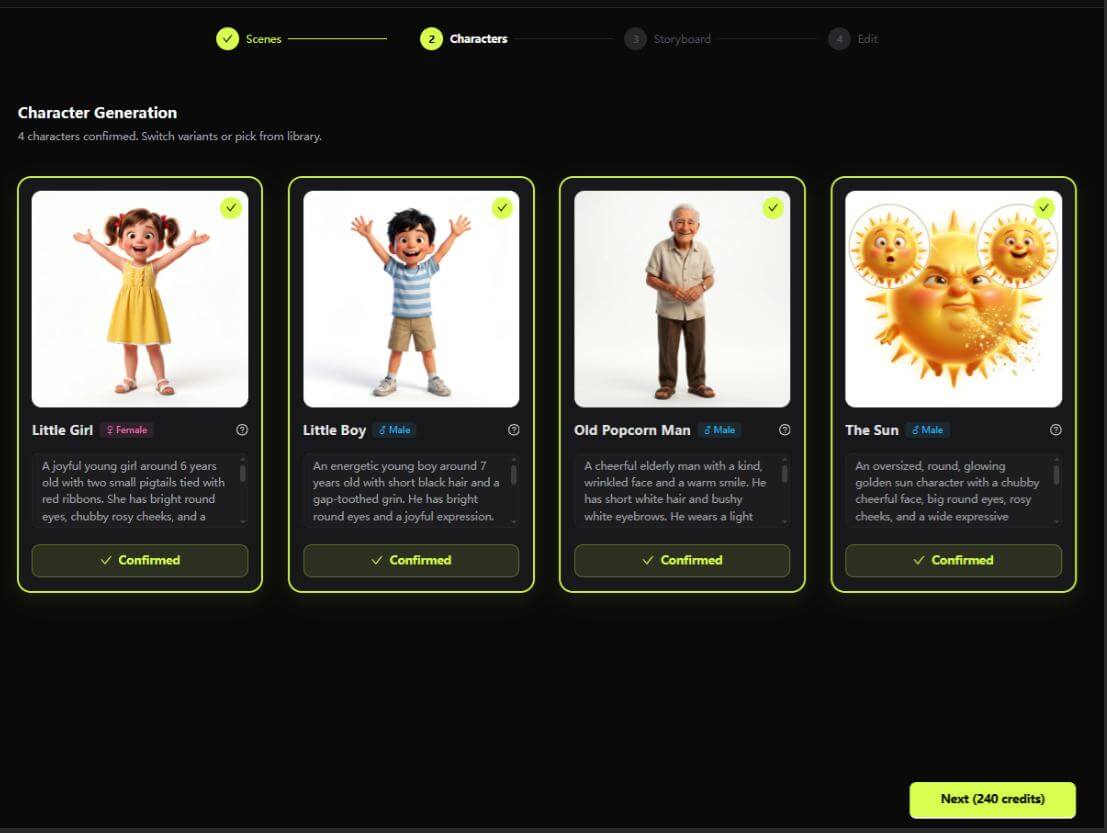
Step 2: Lock Character Visuals & Configure Voices
Apply Character IP Lock to fix design traits for all recurring characters. Pick soothing, warm voice timbres appropriate for child audience psychological comfort.
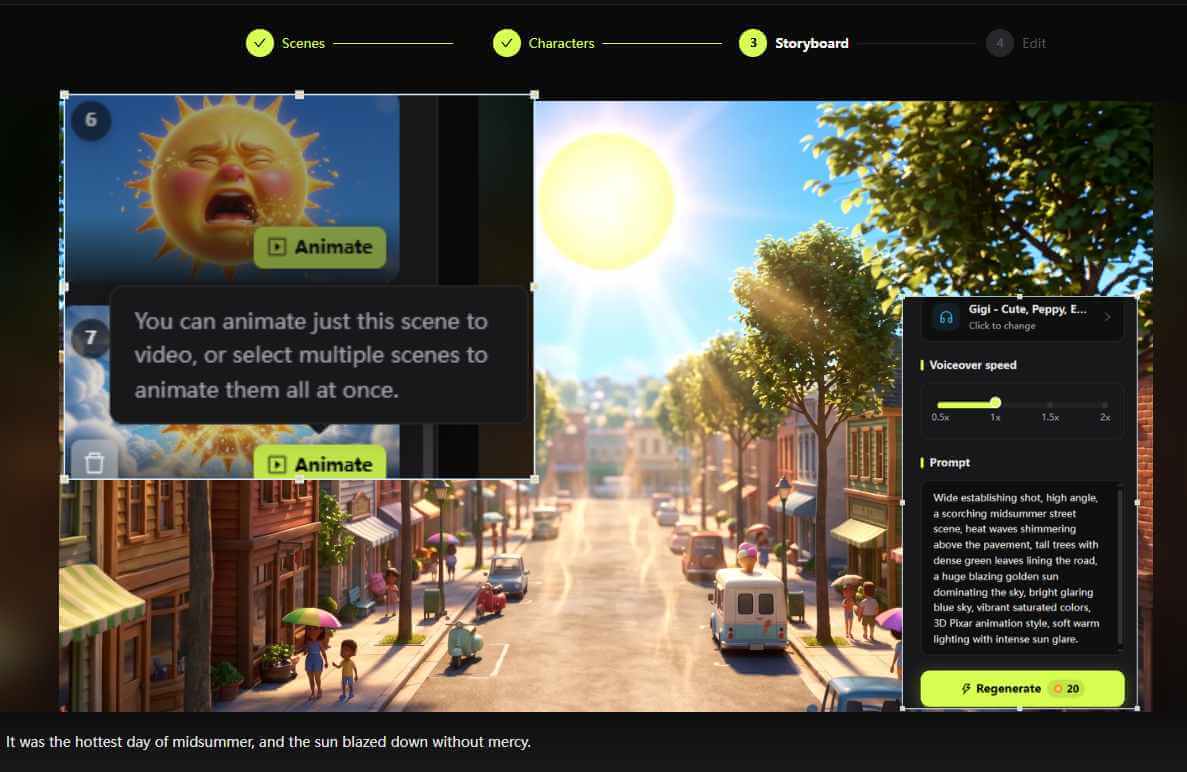
Step 3: Generate Synchronized Character Dialogue Scenes
Click generate and watch the dialogue generator automatically match vocal pacing with natural body gestures, camera cuts, and subtle facial expressions.
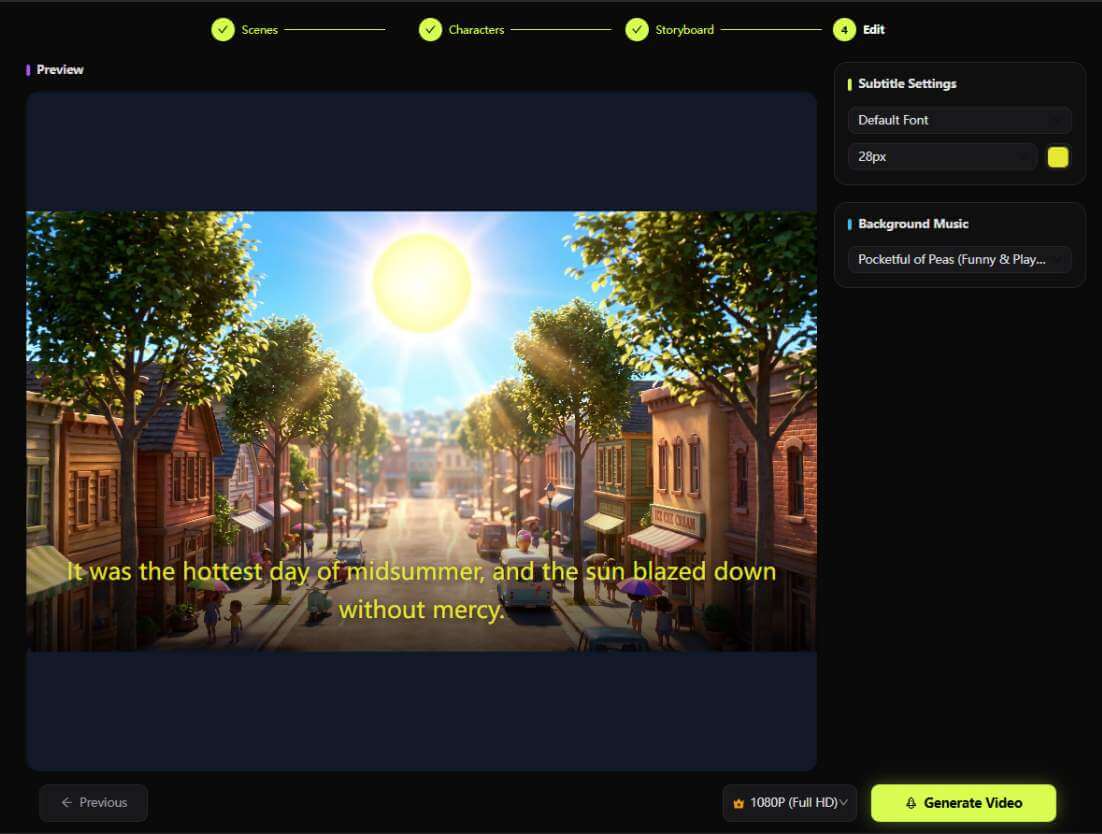
Step 4: Polish, Add Subtitles, & Export to YouTube
Review the generated scene, fine-tune subtitle timing or audio levels if needed, and export in 16:9 widescreen or 9:16 vertical Shorts format.
KiVi AI Dialogue Generator vs. Traditional Animation Audio
Traditional animation pipelines require separate voice actor auditions, studio mixing sessions, complex 3D facial rigging, and tedious frame-by-frame lip alignment. Using KiVi AI’s integrated dialogue generator workflow, creators slash production timelines from weeks down to a matter of minutes.
| Production Category | Traditional Dialogue Production | KiVi AI Dialogue Generator |
|---|---|---|
| Voice Recording & Lip Sync | Demands voice actors, sound engineers, and laborious manual phoneme-to-mouth rigging. | Automates multi-voice generation and precise lip synchronization in a single AI step. |
| Character Consistency | Requires dedicated 3D animators to prevent model clipping or distortion during speech turns. | Character IP Lock locks visual features smoothly throughout all character dialogue exchanges. |
| Script Editing & Revisions | Modifying one line of dialogue forces re-recording sessions and expensive scene re-renders. | Allows immediate text edits and instant scene re-generation directly inside your web browser. |
| Production Cadence | Takes several weeks or months to finalize one dialogue-heavy animated episode. | Enables solo creators and small studios to publish multiple social story episodes weekly. |
Building a Scalable Dialogue-Driven YouTube Kids Channel
Building a loyal audience on YouTube Kids requires consistent publishing, clear educational themes, and recognizable characters. Leveraging our AI dialogue generator allows you to turn recurring narrative themes into a systematic, batch-produced video channel strategy.
- Create Everyday Milestone Series: Develop predictable social story themes such as first doctor visits, dental checkups, sharing toys, navigating feelings, or morning routines.
- Maintain Child-Friendly Speech Rhythms: Ensure scripts generated by your dialogue generator feature gentle speech cadences, reassuring pauses, and simple vocabulary suited for ages 3 to 12.
- Standardize Channel Identity: Use identical character assets, color palettes, and thumbnail styles across all video releases to establish immediate brand familiarity on YouTube Kids.
Frequently Asked Questions
Conclusion: Start Creating with KiVi AI Today
Stories like Coco Visits the Doctor show how gentle, predictable scenario dialogue can ease children's anxiety while delivering rich, memorable content for parents and educators. With KiVi AI's newly launched AI dialogue generator, generating natural, expressive character dialogue between endearing animated characters has never been easier or faster.
Whether you are scaling a children's YouTube channel, publishing educational social stories, or establishing an international character IP, KiVi AI provides everything you need to bring your creative vision to life. Start building your next dialogue-driven children's animation series today!
Ready to try the new Dialogue Generator feature?
Turn your scripts into captivating multi-character dialogue animations with KiVi AI.