Pumpkin Kitty's Sweet Peek
Cinematic 3D StylePerfect for Toddlers (Ages 1–5)
An adorable ginger kitten in a pumpkin hat blinks and peeks out from a carved pumpkin. Cozy, cinematic 3D macro shot under fairy lights.
Turn a Halloween story or simple idea into a gentle 3D cartoon with consistent characters, voiceover, music, and subtitles—right in your browser.
KiVi AI is a browser-based AI Halloween cartoon maker for kids that turns a story, script, or short prompt into a kid-friendly animated video. Parents, teachers, and creators can build spooky-but-gentle scenes without 3D software or a video editing background.
Use it as a Halloween story to video AI tool: start with a pumpkin adventure, friendly ghost story, classroom prompt, or bedtime idea. Then choose a visual style, keep recurring characters consistent, add narration and subtitles, and share the finished animation.
Experience the theatrical 3D depths, warm lighting, and digital textures designed to captivate young minds safely.
A whimsical, low-stimulation 3D musical masterpiece. Watch friendly ghosts dance with glowing Jack-o'-lanterns in a soft twilight sky—perfect for bedtime.
Perfect for Toddlers (Ages 1–5)
An adorable ginger kitten in a pumpkin hat blinks and peeks out from a carved pumpkin. Cozy, cinematic 3D macro shot under fairy lights.
Perfect for Elementary (Ages 4–10)
A fluffy blue creature with friendly eyes holds an orange bucket on a cozy autumn porch, looking up with heartwarming stop-motion charm.
Ready to render your own scary 3D animations with custom pumpkin characters?
Animate Your Halloween Pumpkin Video Now ↗Use a kid-friendly Halloween animation generator to turn a short script or prompt into a gentle 3D story in four simple cloud steps.
Paste your story or pumpkin prompt. KiVi AI generates kid-friendly scripts automatically.
Lock characters, expressions, and outfits to help keep them consistent across scenes.
Select Claymation, Watercolor, or Felted craft. Warm, kid-safe, low-stimulation lighting.
Add kid-safe Halloween music, auto-generate subtitles, and export in an available video quality.
Choose a kid-safe 3D prompt template below, copy with one click, and feed it into KiVi AI!
[Spooky Story]
Once upon a time in a Glowing Graveyard, Barnaby the Pumpkin (an adorable, chubby Jack-o'-lantern with shiny orange digital-clay textures and big glowing green eyes) set off on a cozy bedtime adventure.

In this beautiful setting of a mysterious yet comforting meadow filled with purple fog, soft environmental bokeh, and a giant lime-green neon moon, Barnaby unexpectedly accidentally wins a Halloween dance battle against a tiny flying bat. First, we see the character doing a smooth claymation wobble, under cinematic lighting. A little bat flaps its felt wings to the beat. Then, the story gently shifts to show how the bat tries to spin on its head, but its heavy wool hat falls off. The character laughs with giant bouncy eyes. Finally, the peaceful journey winds down as the character grabs the bat's wings and they do a cozy spin together, ending in a safe, low-stimulation bedtime glow.
[Spooky Story]
Once upon a time in a Haunted Castle Kitchen, Wendy the Little Witch (a cozy anime witch in a deep indigo felt coat and an oversized pointy hat) set off on a cozy bedtime adventure.

In this beautiful setting of an ancient kitchen with simulated warm, theatrical rim lighting, copper cauldrons, and digital stop-motion textures, Wendy unexpectedly loses their magical glow-in-the-dark lollipop and must follow a trail of sparkling stardust. First, we see the character searching inside a deep clay hollow. A trail of glowing stardust particles floats in front of their eyes. Then, the story gently shifts to show how she finds the giant candy behind a family of friendly pumpkins. Warm golden-hour lighting shines on the candy. Finally, the peaceful journey winds down as she safely eats the lollipop, making her belly glow with a soft, warm eye-care orange light.
Paste these spooky recipes into the AI Halloween Cartoon Maker to see the magic.
Create Kid-Safe 3D Cartoons Free ↗Skip traditional 3D rendering pipelines. Get professional, cinematic 3D Halloween characters without months of complex training.
Claymation, watercolor, and felted styles designed with soft lighting to soothe young eyes, not cause nightmares.
Lock facial structures and outfits to keep your witch, skeleton, or pumpkin characters identical in every single scene.
No expensive GPUs or complex Blender setups needed. Create and render high-quality 3D animations directly in your browser.
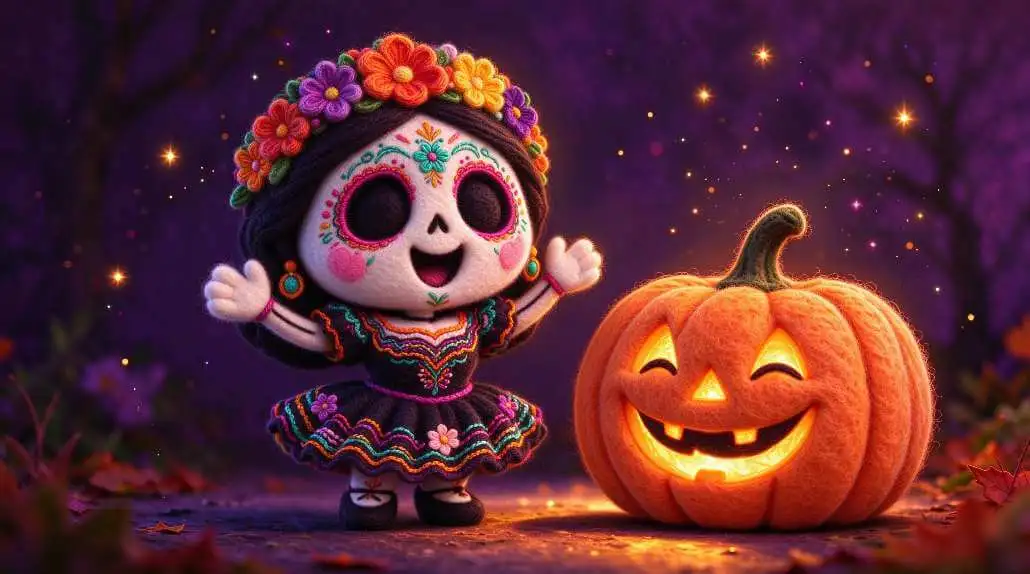
Ditch paper invitations and expensive store-bought digital loops. KiVi AI lets you render customized 3D Halloween cartoon videos perfectly formatted for creative home displays.
Export transparent loops of cute dancing ghosts or skeletons to project on windows for delightful, kid-safe street decor.
Create a talking 3D ghost holding a customized invite card. Auto-dub in 20+ languages and share via WhatsApp or Instagram.
Explore related guides for classroom storytelling, family co-creation, and social-emotional animated stories.
Help students turn short writing prompts into 3D clay animation projects with an easy, story-based classroom workflow.
Create a character together, shape a shared story, and turn a family idea into a personalized animated video.
Learn how to create gentle animated stories that help children understand self-acceptance, build confidence, and appreciate what makes them unique.
Learn how to turn children’s story ideas into structured animated videos with storyboards, recurring characters, narration, captions, and a review workflow.
KiVi AI is designed to help parents, teachers, and creators make gentle, age-appropriate animated stories. Review prompts and exports before sharing, and check your school or organization’s privacy requirements before classroom use.
Filters out violence/gore, auto-translating scary ideas into cozy little ghosts.
Review the privacy policy and account settings for your use case.
Soft visual styles can support calmer storytelling experiences.
Single class activation code. No student sign-ups required.
Discover how teachers, professional animators, and parents use KiVi AI to cultivate creativity safely.
“The kids' engagement grew when their stories turned into 3D cartoons. The workflow made it easier to turn a short writing exercise into something the class could watch together.”
Elementary School Educator, Dallas ISD
“KiVi AI helps us move from a story idea to a more consistent animated concept, which makes our spooky content workflow easier to manage.”
Kids Content Creator
“My kids are highly sensitive to flashing screens. KiVi's low-stimulation Claymation style with warm ambient lighting calms them down before bed.”
Tech Parent of Two Kids, Shenzhen
Quick answers to frequently asked questions about creating scary 3D animation videos safely for kids.
The KiVi AI Halloween Cartoon Maker is a browser-based text-to-video tool for creating gentle 3D animations from pumpkin prompts, bedtime scripts, and other spooky story ideas. It supports visual styles such as digital clay, felted craft, and cinematic 3D, with tools for developing recurring characters across scenes.
It takes four simple steps: 1. Paste your spooky bedtime story or pumpkin prompt into the story creator; 2. Pick a child-friendly style like 'Claymation' or 'watercolor'; 3. Let KiVi AI render the 3D assets and set up consistent characters; 4. Add subtitles, music, and export in an available video quality.
KiVi AI offers gentle visual styles such as 'Handcraft', 'watercolor', and digital 'Claymation' with soft-focus backgrounds and warm ambient lighting. Review the generated story and visuals before sharing them with young children.
Yes. KiVi AI has a built-in consistent character engine. Once you choose your main Halloween character, the AI locks their model, outfits, and facial geometry so they remain consistent in every scene.
No. KiVi AI is entirely cloud-based. You do not need expensive GPUs, workstation rigs, or software like Blender or Maya. You can prompt, lock characters, and render cartoons directly in a browser on a Chromebook, tablet, or phone.
Creators can use KiVi AI to build animated kids' book read-alouds, nursery rhymes, and spooky cartoon channels. Commercial use depends on the active subscription plan and its terms.
Halloween 2026 falls on Saturday, October 31st, 2026. This Saturday timing is ideal for weekend children movie marathons, safe family classroom co-creation, or building spooky YouTube cartoon series with KiVi AI.
If your active plan supports the required export format, you can use generated friendly ghosts or pumpkins in a digital window projector setup for walls, windows, or a front porch.
Turn a spooky story, classroom prompt, or family idea into an animated video with KiVi AI.
Create Your Halloween Video Now