Squash & Stretch
Real cartoon physics! Watch characters bounce, stretch, and deform just like the golden age of animation in your AI 3D cartoon comedy shorts.
Forget complex rigs! The 3D cartoon maker turns wild ideas into bouncy, colorful AI 3D cartoons with exaggerated expressions in minutes. Type a sentence — our 3D wise toon generator writes the script, locks your characters, animates every scene and adds the voices.
Real cartoon physics! Watch characters bounce, stretch, and deform just like the golden age of animation in your AI 3D cartoon comedy shorts.
High saturation, vibrant textures, and comic-style outlines that make your story literally pop off the screen.
Instantly dub your 3D cartoon characters with hilarious AI voices and wacky sound effects.
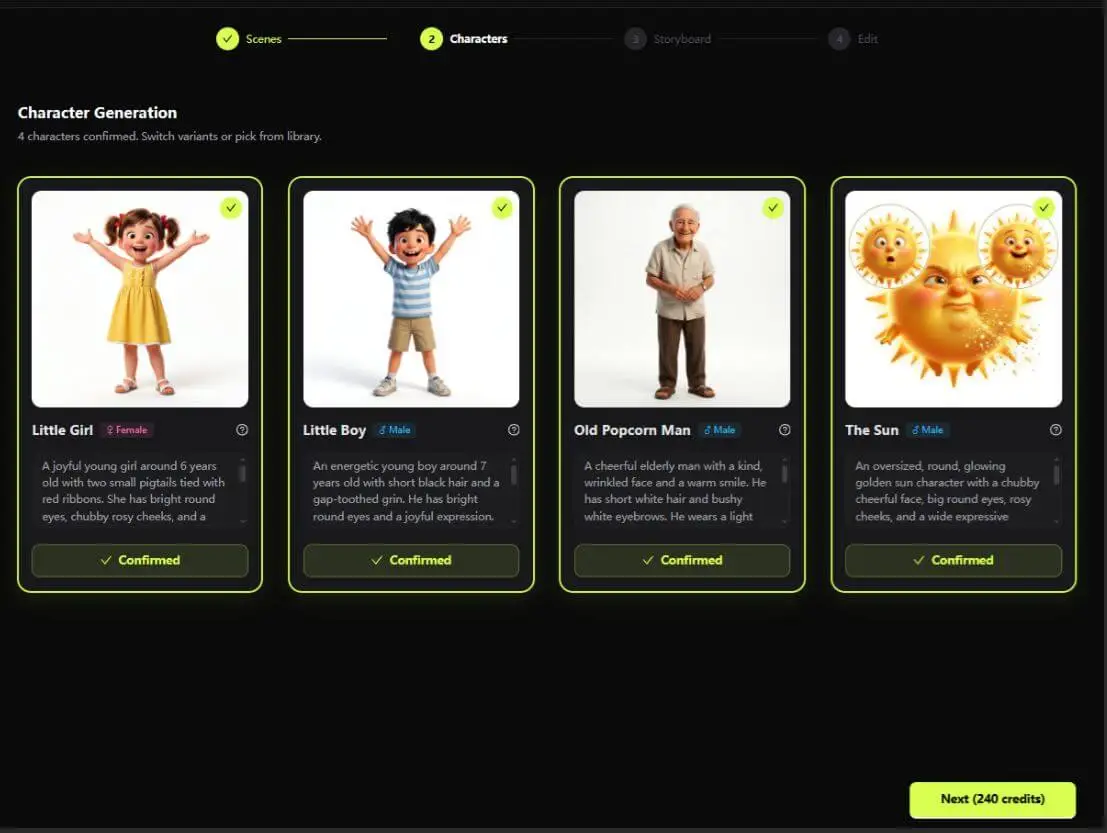
Approve a character once and AI keeps their face, outfit and proportions identical across every scene of your 3D cartoon.
One sentence in, full script and scene-by-scene storyboard out. Edit anything before you animate — you stay the director.
9:16 vertical and 16:9 landscape with burned-in styled subtitles — optimized for TikTok, Reels, YouTube Shorts and YouTube out of the box.
This page shows our bouncy 3D cartoon style — KiVi AI also paints your stories in seven other looks. Pick a vibe:
Turn bedtime stories, family moments and silly inside jokes into hilarious 3D cartoons that kids will beg to watch again.
Explore Kids Stories ➔Turn lessons into engaging 3D cartoons students actually want to watch — no animation skills, no editing timeline.
Explore Education Tools ➔Stop scrolling and start creating. Pump out viral 3D comedy shorts for TikTok, Reels and YouTube Shorts every single day.
Explore YouTube Tools ➔Same cartoon quality. A tiny fraction of the time and budget.
| Production factor | KiVi AI 🎨 | Blender / Maya | Hiring an animator |
|---|---|---|---|
| Time to first video | ~10 minutes | Weeks of learning | 2–4 weeks |
| Skills required | Type a sentence | Rigging, modeling, keyframes | Just a brief |
| Cost per short video | From free plan | $0 — plus your time | $500–$3,000+ |
| Voiceover & subtitles | Built-in, auto-synced | DIY / plugins | Extra cost |
| Revisions | Instant — re-roll any scene | Hours per change | Per-revision fees |
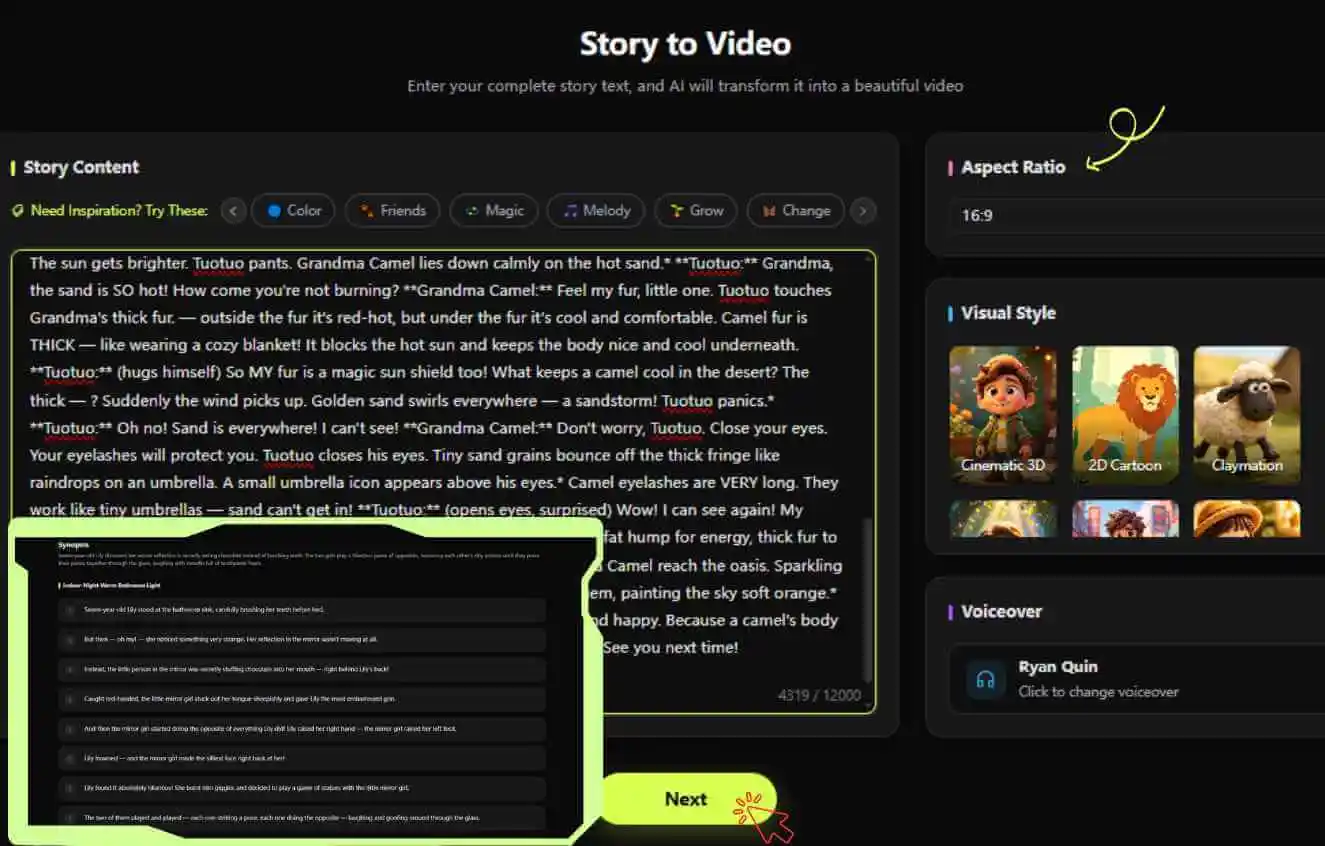
Enter your story idea, then choose your preferred aspect ratio, visual style, and voiceover. AI will instantly generate your script and scene-by-scene storyboards.
AI extracts main characters and provides concept art. Pick your favorite to maintain 100% consistency across all scenes.
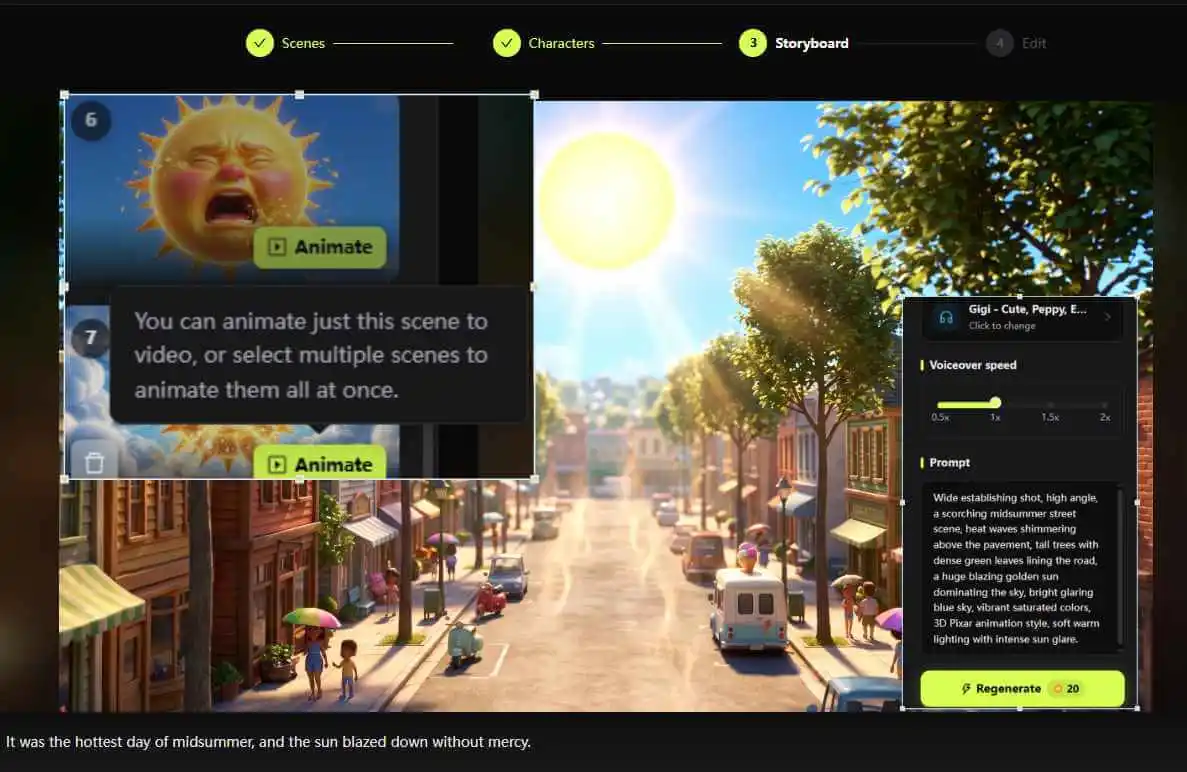
Bring your scenes to life in one click, then pick the perfect background music to set the mood.
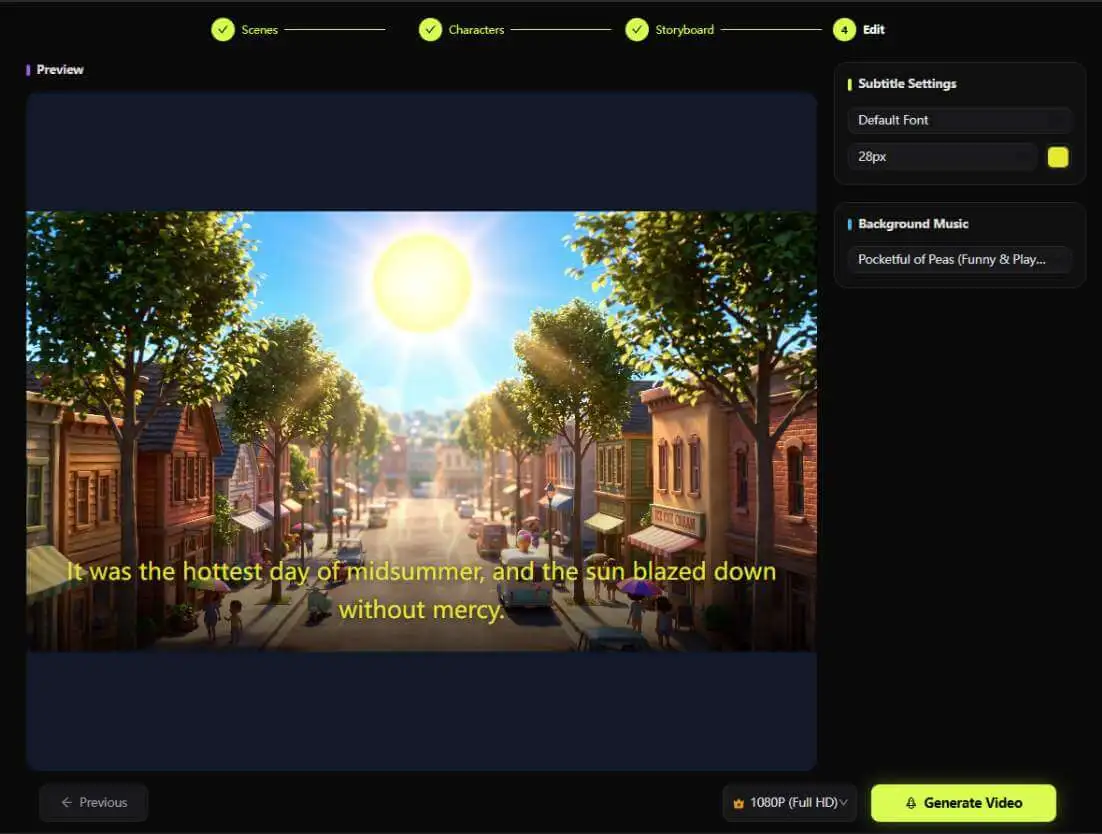
Customize your subtitle size and style, select your preferred video quality, and export your masterpiece!
Explore the full KiVi toolkit — every tool runs the same AI pipeline, tuned for a different look.
Generate one character design and reuse it everywhere — this consistent character AI keeps faces, outfits and proportions identical across every scene and video.
Open tool ➔Create claymation animation with AI — the handmade clay stop-motion look, complete with fingerprints, wobble and squash, generated from a single sentence.
Open tool ➔A cinematic 3D animation generator with film-grade lighting, camera moves and depth of field — for trailers and story videos with a premium finish.
Open tool ➔A holiday cartoon video generator for kids — Christmas, Halloween, Easter and every occasion in between, turned into festive animated greetings in minutes.
Open tool ➔
Learn the exact steps to turn your funny ideas into bouncy, viral-ready 3D animations for social media without any software skills.
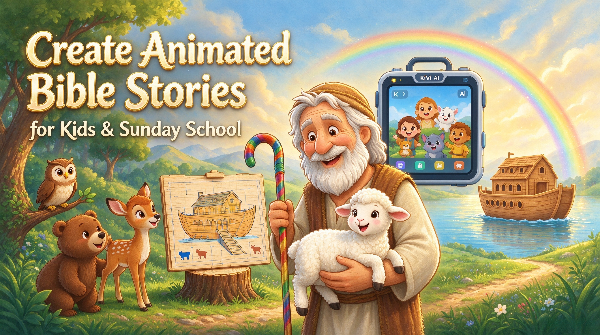
Learn how to create theological-grade, sensory-safe animated Bible stories for Sunday schools & kids channels. Lock consistent characters and generate 3D storybook cartoons in 5 minutes with KiVi AI.
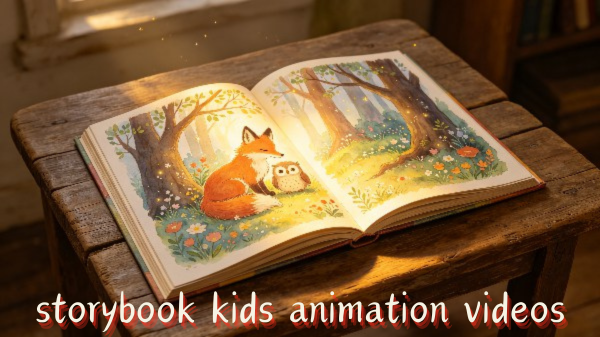
Generate textured storybook animation videos in minutes. Transform children's picture books, fairy tales, and bedtime scripts into rich, multi-style animated scenes using KiVi AI.
Tutorials, style breakdowns and fresh AI 3D cartoon examples every week — see what the community is making before you press record.
Subscribe on YouTube ▶"I posted a 3D cartoon short every day for two weeks. One hit 2.1M views. I have never opened Blender and I never will."
"My 2nd-grade class watched our science lesson as a cartoon three times in a row. They asked if we could do the water cycle next. Yes. Yes we can."
"We replaced one explainer video that quoted $4,000 with a KiVi cartoon made in an afternoon. The cartoon performed better."
Not at all! You don't need to be a prompt engineer. Just type in a simple idea (like "a clumsy bear trying to catch a butterfly") or paste a longer story. Our AI will automatically break it down into scenes, write the script, and generate the bouncy 3D animations for you.
Yes, 100%! Consistency is our superpower. Once you generate and approve a character design in Step 2, our 'Character Lock' technology ensures their face, outfit, and proportions remain perfectly identical across all your scenes, no matter what crazy actions they perform.
Two ways: pick from our massive library of highly expressive AI voices — squeaky, goofy, deep or dramatic — and the AI auto-generates and syncs the voiceover to your cartoon. Or use voice cloning: upload a short voice sample and KiVi AI clones it, so your character (or your own voice) narrates every scene. No microphone or recording session needed.
A 3D cartoon maker is an AI tool that builds a finished animated video from text — script, characters, animation and audio included. With KiVi AI you need no rigging, modeling or timeline experience: type an idea, approve your characters, and export.
You can make your first 3D wise toon video free, with no credit card required. The Creator and Master plans unlock higher resolution, longer scenes and full commercial rights.
Commercial usage rights are included with the Creator and Master plans — perfect for brand campaigns, monetized YouTube channels and client work. The Starter plan (and the free plan) is for personal, non-commercial use only; upgrade any time to unlock full commercial rights.
Export in 9:16 for TikTok, Reels and Shorts, or 16:9 for YouTube — up to 1080p, in MP4 with styled burned-in subtitles.
Most creators finish their first 30–60 second 3D cartoon in about 10 minutes from script to export. Longer stories scale roughly with scene count, and you can re-roll any single scene instantly.
You can start free without a credit card. The free credit is enough to generate your first complete cartoon and judge the output quality before paying anything.
Yes — and timing matters. During the Storyboard stage you can freely edit the script, scene actions and the narration/voiceover text before anything is animated. Once a scene is rendered, the voiceover is locked, so review and tweak your narration at the storyboard step — think of the AI as your animation team, with you as the director.
This style focuses on exaggerated squash-and-stretch physics, high-saturation colors and comic outlines — built for comedy. If you want softer, storybook-looking visuals, browse the full animation styles gallery.
No 3D modeling skills required. Start animating today.
Start Free Trial 🎬Free plan available · No credit card required · Cancel anytime