
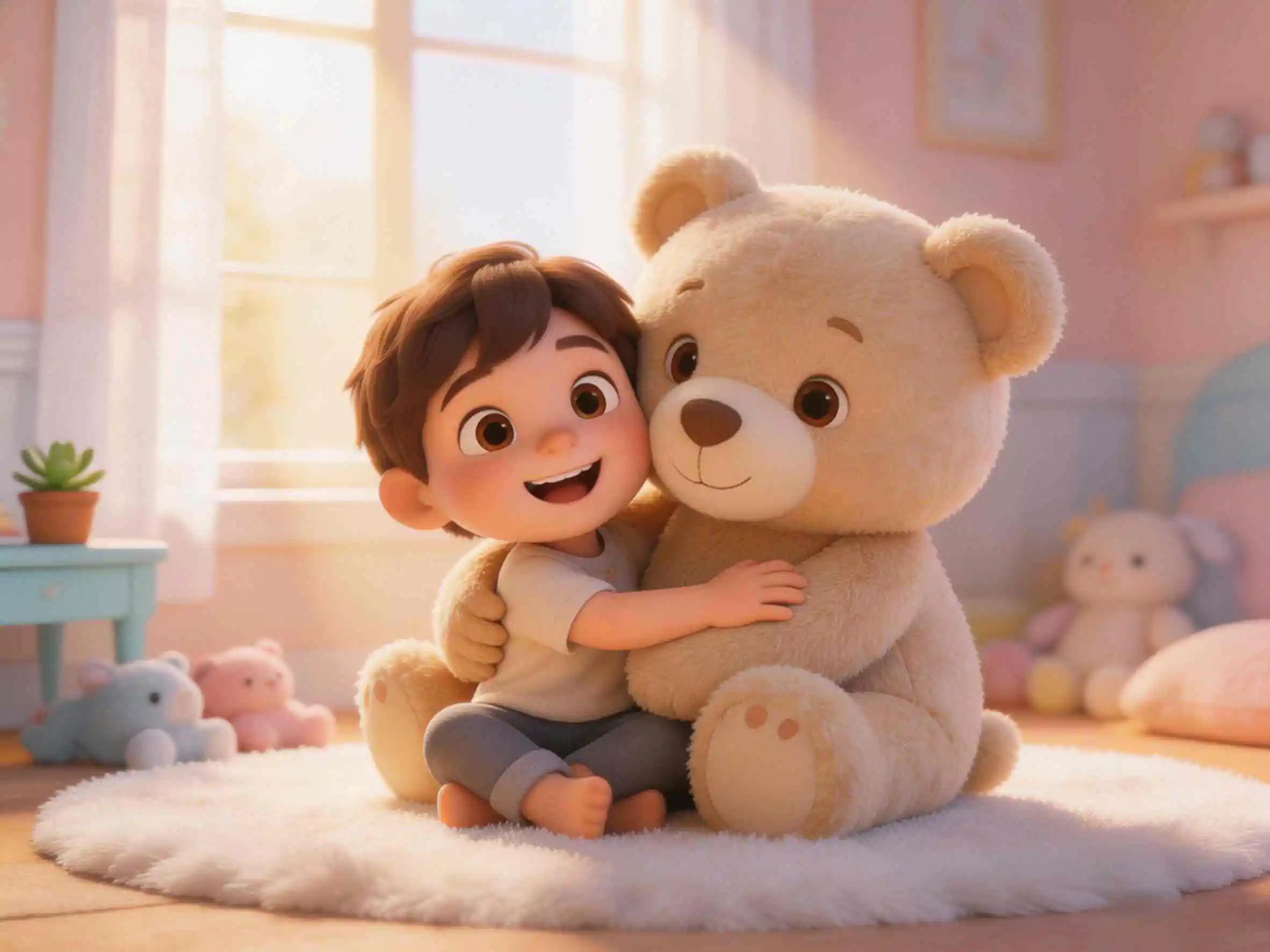
"Stranger danger" is one of the first safety lessons every parent repeats — yet most children still open the door, because a rule memorized is not a rule used. The real test happens in a quiet moment: a child home alone, a knock at the door, a friendly voice saying "your mommy sent me". Our latest story, The Stranger at the Door: Luna's House Rules!, rehearses exactly that moment: little knight Luna watches over Mia the Kitten as she keeps the door shut, hides the fact she's alone, and calls her mom — and the whole scene ships as a finished kids' video instead of a safety-lecture to-do list.
KiVi AI turns a graded moral-story script straight into synchronized, multi-speaker animation — no voice actors, no manual keyframing, no extra audio editing. From stranger-safety tales to road safety, honesty and friendship stories, one workspace covers the full pipeline: script the moral story, sync natural voiceovers, keep characters consistent across episodes, and publish fast enough to grow a kids' channel.
Teaching Stranger Danger for Kids Through Stories: Why It Works
Stranger safety is the hardest rule to teach with words alone — because the danger doesn't look dangerous. A stranger is friendly. A stranger smiles. A stranger knows Mommy's name. That is precisely why memorized rules fail in the moment. A well-structured stranger safety story for kids fixes this by rehearsing the moment itself: the knock, the friendly voice, the paw reaching for the handle — and then stopping. Children watch Mia make the right choice step by step, so when the real moment comes, they have already "been there". Pair expressive cartoon visuals with clear, evenly paced dialogue and children absorb the rule as a habit instead of a slogan to forget.
- A relatable scene: Mia the Kitten is home alone for a short while, drawing at the kitchen table, when a stranger knocks claiming "your mommy sent me" — a moment every child can feel and every parent dreads.
- Rules delivered as a chant, not a lecture: Luna's three magic words — "Don't open! Don't tell! Call a grown-up you trust!" — repeated three times with matching actions: step away from the door, say "Mommy is busy", call Mom right away.
- The smart details that save lives: Mia notices Mom has her own keys (Mom never knocks!), looks through the peephole first, and never reveals she's alone — she says "Mommy is in the shower, come back later!" instead. These are the exact scripts real safety experts teach.
- Core vocabulary reinforcement: stranger, knock, door, peephole, trust, grown-up, brave are anchored to visible character actions, so the words stick through dual coding — sound plus image — and the hero passes the lesson on when Mia teaches Benny the Bear the same chant.
Watch it: little knight Luna keeps watch as Mia the Kitten, home alone, refuses to open the door for a "friendly" stranger — without ever revealing she's alone — then calls her mom and drives the stranger away.
Create a Moral Story AnimationWhat the AI Dialogue Generator Solves: Four Pain Points
Producing a clear, well-paced story between animated characters has historically meant coordinating voice talent and spending hours on manual lip-syncing — costs that push most solo creators and small kids' studios out of animated content entirely. With AI dialogue generator, any graded moral-story script becomes a finished animated episode in minutes. Here is what actually changes:
- Pain point 1 — voice production cost: A separate, clear voice is generated per character — a warm narrator, a gentle Luna, a careful Mia, and the stranger's overly-friendly voice — with automatic phoneme-accurate lip sync, so children see correct pronunciation cues without any post-production alignment work.
- Pain point 2 — pacing that ignores young viewers: You paste your moral-story script directly, or refine the rhythm turn by turn, preserving the pauses children need to echo the safety chant out loud.
- Pain point 3 — character drift across scenes: Character IP Lock keeps Luna's red cape and Mia's bow identical as they move from the rooftop to the doorstep to the phone call — the consistency problem that traditionally required frame-by-frame redraws, and the key to a recognizable series.
- Pain point 4 — one style for every audience: Render safety stories as vibrant 2D preschool cartoons or expressive Pixar style 3D animation (browse the animation styles gallery), so the same script can serve toddlers, ESL classrooms and family viewers.
Stranger Safety for Kids: How to Write the Story Script (Template)
Turning safety rules for kids into a story only works if the lines are right. Before generating anything, lock in one safety behavior per scene and keep every turn under about 12 words — short enough for a readable subtitle and for a child to echo out loud. This is the pattern The Stranger at the Door follows:
| Story beat | Line to lock in | Where it lands in the scene |
|---|---|---|
| The first clue (thinking like a hero) | "Knock? Mommy has her own keys. Mommy never knocks!" | The first KNOCK KNOCK KNOCK |
| Checking before acting | "A stranger is anyone I don't know — even if they smile." | Mia looking through the peephole |
| The rule as a chant | "Three magic words: Don't open! Don't tell! Call a grown-up you trust!" | Mia stepping back from the door |
| Never reveal you're alone | "MOMMY IS BUSY! COME BACK LATER!" | Shouted through the closed door |
| Passing the lesson on (the moral lands) | "Don't open! Don't tell! Call a grown-up you trust!" | Closing shot, Mia teaching Benny |
Two production rules follow from the script: give each character a clearly different voice so young viewers can tell speakers apart with their eyes closed — and make the stranger sound friendly, not scary, so children learn that strangers don't look dangerous. Both are cheap to enforce at script stage and expensive to fix after animation.
How to Make a Moral Story Video in KiVi AI
Turning that safety script into a publish-ready kids' AI 3D cartoon takes four steps, all inside the same workspace:
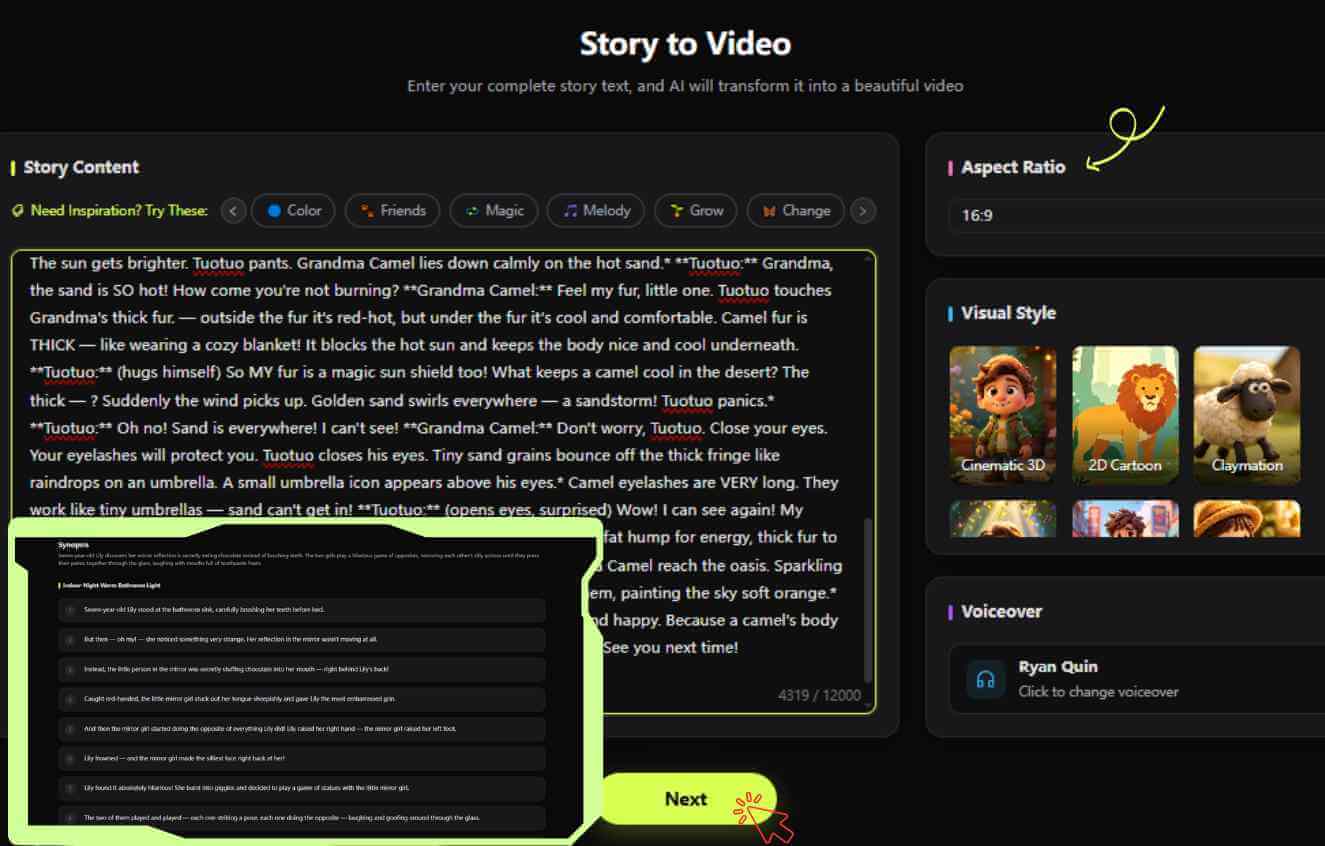
Step 1: Create Your Story
Start with your moral story — for example, "A kitten home alone must not open the door when a friendly stranger knocks." Choose Narration or Character Dialogue, then set the video parameters: aspect ratio, language and visual style.
Step 2: Develop the Story & Dialogue Script
Let AI draft the story outline in Narration mode, or produce an editable script in Character Dialogue mode. Rewrite the lines here — vocabulary level, chant repetition, pause points — before anything is rendered.
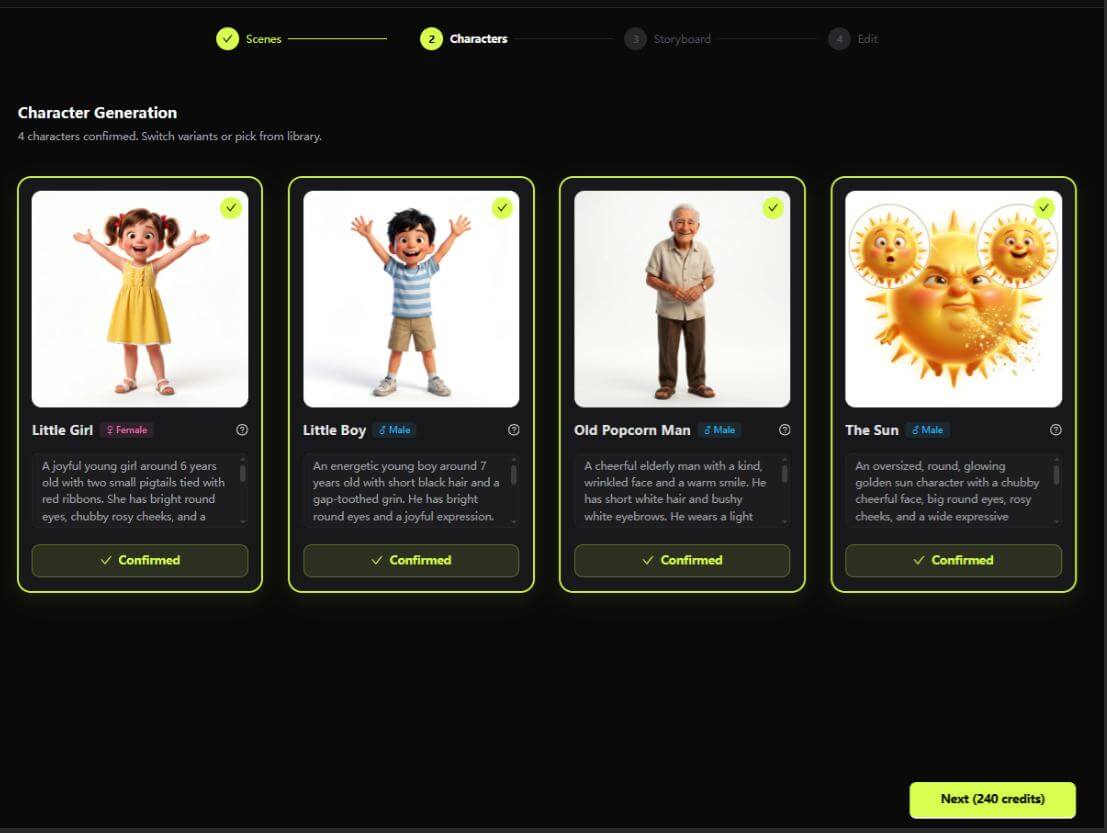
Step 3: Design Characters & Build Storyboards
Pick the AI-generated designs for Luna, Mia and Hazel, assign a distinct voice to each, and turn the script into storyboards. Adjust scene prompts and lines while the character models stay locked — the red cape stays red in every episode.
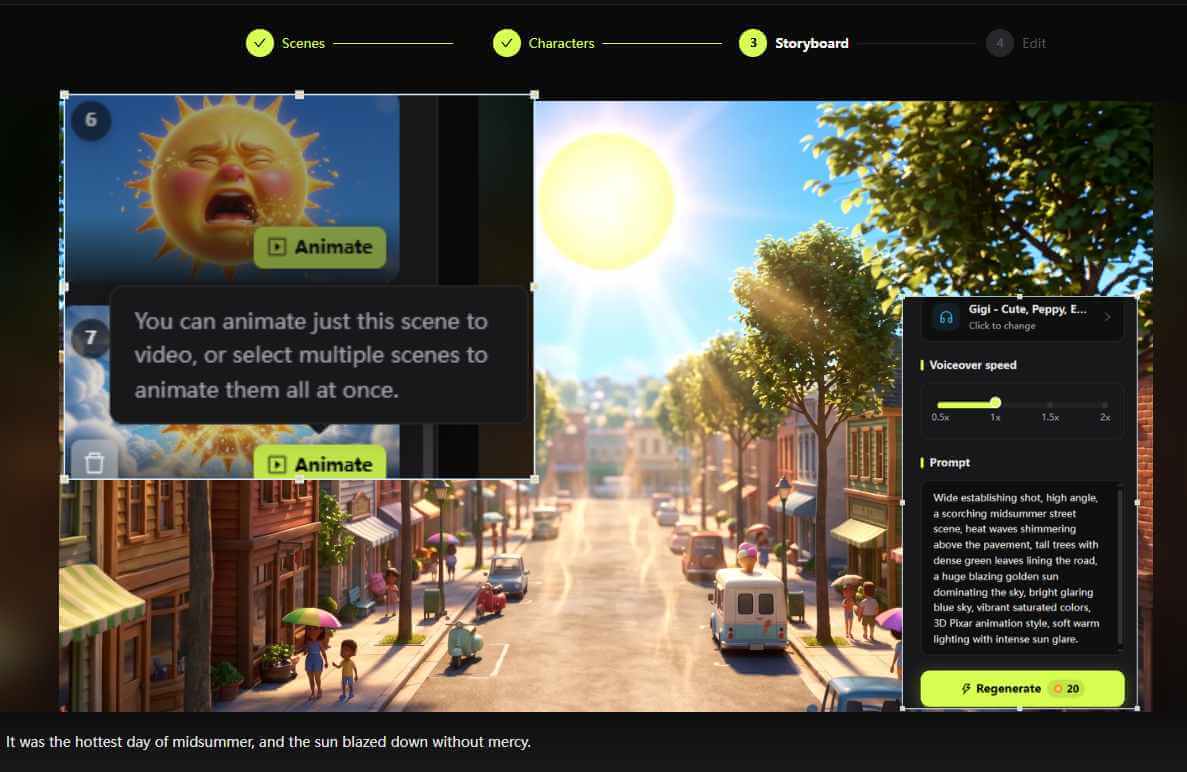
Step 4: Animate, Caption & Export
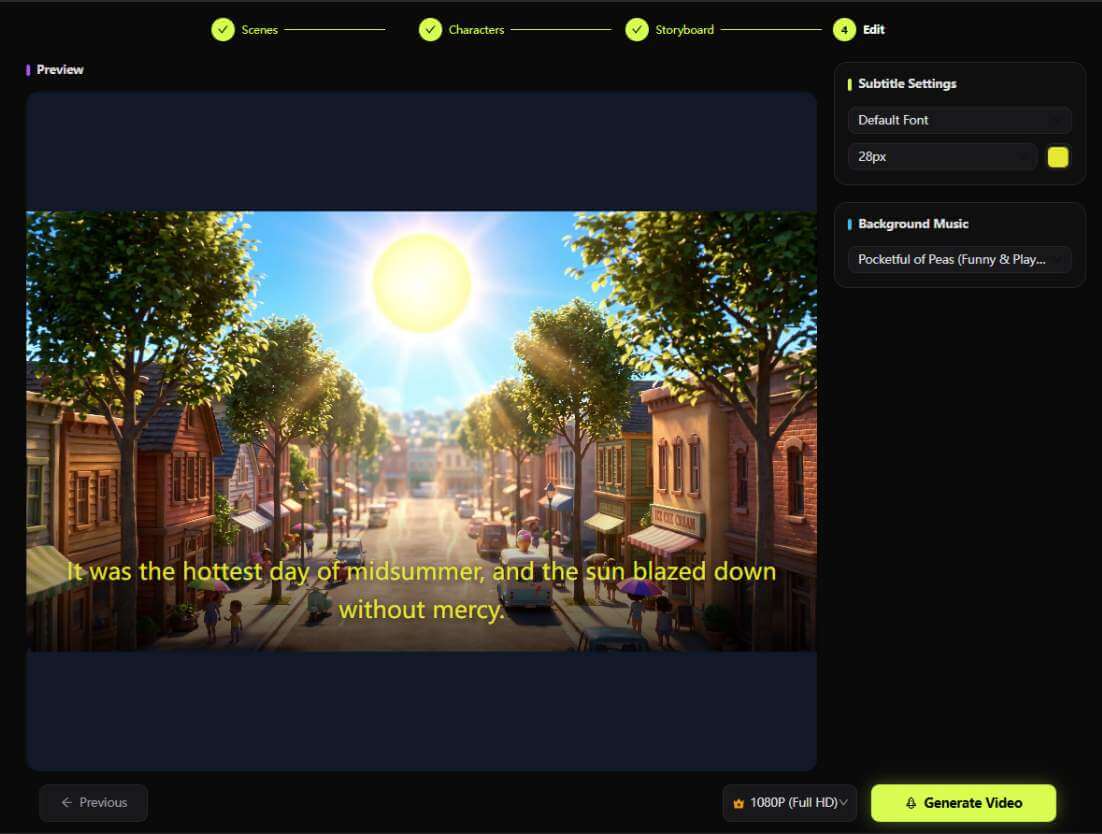
Animate the shots you keep, add subtitles and gentle background music, review the lip sync on the safety chant, then export in 16:9 for the full episode or 9:16 for a 30-second "Knight's Lesson" Short.
AI Dialogue Generator vs. Traditional Kids' Animation Production
A traditional animated safety episode coordinates voice talent, illustrators and video editors — and every script revision restarts part of that chain. A story-to-video workflow collapses it into a single editing surface:
| Production category | Traditional kids' animation workflow | KiVi AI dialogue generator |
|---|---|---|
| Voiceover & pronunciation | Hire several voice actors, then align mouth shapes to the audio tracks by hand. | Generates a clear voice per character with automatic phoneme-accurate lip sync. |
| Character continuity | Redrawing Luna's cape and Mia's bow against new doorstep backgrounds is slow and costly. | Character IP Lock holds Luna's exact appearance across every scene cut and every episode. |
| Script-level changes | Adjusting the chant wording or simplifying a sentence means re-recording audio and re-cutting scenes. | Edit any sentence in the browser and regenerate that scene within seconds. |
| Publishing frequency | A single five-minute animated safety story takes weeks to finish. | Multiple moral-story episodes can ship every week from the same series template. |
Building a Moral Story YouTube Channel for Kids
Children follow recurring characters through familiar situations — which is exactly why a knight-and-friends series outperforms one-off safety videos on retention. Pairing a structured moral-story script library with an automated character dialogue animation pipeline makes a sustainable kids' channel realistic for a one- or two-person team:
- Build a themed episode series: Follow Luna from Luna's First Rescue to The Stranger at the Door, Sparks in the Kitchen, Earthquake Drill Day and No Swimming Alone — one safety behavior per episode, one chant per rule.
- Design for echo practice: Keep the "Don't open! Don't tell! Call a grown-up you trust!" chant clean and evenly paced so young viewers can pause and repeat it out loud — the highest-impact safety habit at this age.
- Keep visual branding consistent: Reuse the same character models, thumbnail layout and end-screen "Knight's Lesson" card so families recognize the series before they read the title — and so every new episode costs a fraction of the first.
This story is Episode 2 of the Luna the Little Knight series — and KiVi AI is built for exactly this format. Every new episode reuses the same locked cast, voices and visual style, so each new episode ships in a fraction of the time. A full season of episode videos and companion articles is on the way:
- Episode 3: Sparks in the Kitchen — electrical safety and the "Stop! Dry! Ask!" chant, plus its own story article
- Episode 4: Earthquake Drill Day — "Duck, Cover, Hold On!" chant, plus a classroom script template
- Episode 5: No Swimming Alone — water safety, plus a behind-the-scenes production article
Follow the blog and the YouTube channel: every new episode ships together with the article that shows how it was scripted and generated — one moral story, one lesson, one workflow.
The compounding effect is the point: episode 10 costs a fraction of episode 1, because the cast, the style and the story skeleton already exist.
Explore How To Monetize Your Youtube ChannelFrequently Asked Questions
Conclusion: Start With One Door Story
Stories like The Stranger at the Door: Luna's House Rules! show what a well-designed stranger safety story for kids can do: the exact dangerous moment becomes a safe rehearsal, a chantable rule and a hero who passes the lesson on turn safety drills into something children ask to rewatch. What used to require a production team now takes an afternoon.
Whether you are growing a kids' YouTube channel, turning safety rules for kids into classroom materials, or developing a recurring moral-story series, KiVi AI keeps the work on storytelling instead of production overhead. Script your next safety episode, generate the character dialogue animation, and publish it this week.
Ready to animate your stranger safety story for kids?
Turn safety rules for kids into multi-character cartoon videos with KiVi AI's dialogue generator.