Turn Your Lesson Plans into Engaging Cartoons with AI
Transform dry lesson plans into visual adventures. KiVi AI is the best AI video maker for teachers, making it easy to explain science to kids with AI animation.
Classroom Showcase
See what educators are creating with KiVi AI.
Magic of Gravity
Engaging Visual Classes
The Popcorn Factory
How KiVi Empowers Teachers
We don't talk specs. We solve your daily classroom struggles.
The Traditional Way (Pain)
Literature & Material Prep
Reading through 50-page curriculum guides late at night, trying to extract the key points manually.
Abstract Concept Explanation
Talking for 20 minutes trying to explain the solar system, while half the class zones out.
Engaging Assignments
Handing out boring black-and-white paper worksheets that students dread completing.
The KiVi AI Way (Joy)
AI Automated Output
Paste the text, and KiVi's AI instantly turns heavy documents into a fun, animated micro-lesson video.
Visualizing the Impossible
Bring planets to life in 3D. Keep 100% of your students' attention with dynamic, visual storytelling.
Interactive Storytelling
Transform standard exercises into an interactive cartoon series. Homework becomes their favorite show.
Create in Any Art Style
We tuned our models to match children's cognitive development and teachers' dynamic curriculum topics.
"Beneath the deep blue sea, Barnaby the baby blue whale made friends with a tiny glowing jellyfish. Together, they swam past towering coral reefs to uncover the secret map of a sunken pirate ship..."
Select Visual Style
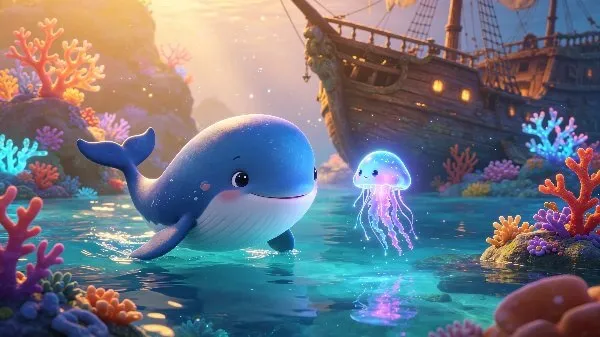
Pixar-level cinematic lighting, deep textures, and highly expressive character rendering. Perfect for cute ocean exploration adventures, fables, and animal biology.
Pedagogical Value:Rich depth of space enables marine environments and whimsical characters to be easily visualized in precise 3D geometry, speeding up student comprehension.
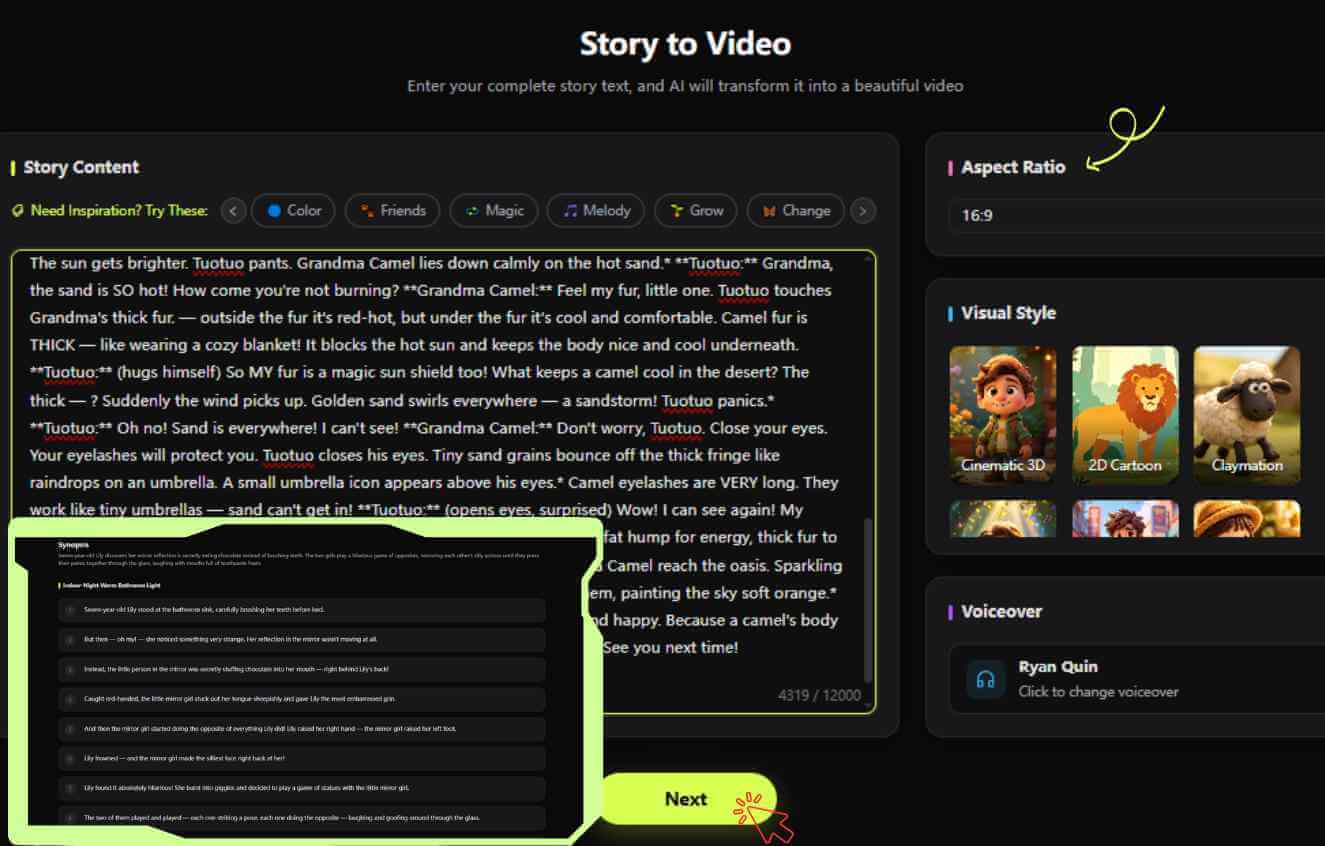
How to Make Animated Educational Videos from Text in 4 Steps
Learn <strong>how to make animated educational videos</strong> from an idea to a captivating classroom video in minutes. Learn <strong>how to turn script to cartoon animations for classrooms</strong> effortlessly.
Create Your Story & Script
Lock Your Characters
Animate & Add Music
Subtitles & Export
An Educational AI Cartoon Generator Built for Every Classroom and Subject
As a versatile AI teaching assistant, KiVi AI isn't just for one subject. It adapts to every educational role, from K-12 schools to online tutoring platforms globally.
Kindergarten Teachers
Create colorful, low-stimulation storybooks to teach manners, sharing, and daily routines.
STEM Subject Teachers
Struggle to explain science to kids? Visualize abstract concepts like atoms, ecosystems, and gravity in stunning 3D animation.
ESL / Language Tutors
Generate dialogue videos with perfect native AI pronunciation to immerse your language learners.
School Administrators
Easily create animated campus tours, safety guidelines, and engaging parent-communication videos.
The Science of "Low-Stimulation" Animation
Why fast-paced commercial cartoons fail in classrooms, and how KiVi AI keeps kids focused.
Rapid cuts (<1.5s), hyper-saturated neon glows, aggressive sound effects, and constant flashing screens.
Comforting analog watercolor or wool textures, steady visual flows (4-6s scenes), soothing orchestral scores, and high semantic-visual coherence.
Combating the "TikTok Attention" Crisis
Modern classrooms face an unprecedented challenge: pupils accustomed to rapid-fire short videos struggle with quiet, focused learning. When teachers use aggressive commercial cartoons for instruction, children's brains are overstimulated, leaving zero cognitive bandwidth to process actual facts.
Based on Mayer's Cognitive Theory of Multimedia Learning, KiVi AI strips out non-essential stimuli. By matching warm-light eye-care backgrounds with rich clay, watercolor, and physical-felt textures, we keep visual attention centered on the core concept—meaning your students retain up to 84% more information.
Teacher Resources & Tutorials
Master KiVi AI and elevate your teaching materials.
How to Explain Science to Kids with AI Animation
Turn abstract concepts like gravity and the water cycle into engaging cartoon adventures.
Read ArticleGoodbye Boring PPTs: The Animated Micro-Lesson Guide
Learn how top educators are generating visual micro-lessons in under 3 minutes.
Read ArticleFrom Script to Screen: The Story-to-Video Workflow
A comprehensive walkthrough of turning your lesson plans into fully dubbed animations.
Read ArticleLoved by 100,000+ Teachers Using AI to Reclaim Their Weekends
See how KiVi AI is changing classrooms around the world.
"KiVi AI saved me 5 hours of weekend prep time. I turned a dry textbook chapter into an animated story, and my 3rd graders actually pay attention to fractions now!"
Sarah M.
3rd Grade Math Teacher
"The ESL students in my class struggle with reading out loud. The native AI voiceovers in KiVi's dialogue videos have dramatically improved their pronunciation."
David L.
ESL Coordinator
"I use the Handcraft style to make low-stimulation bedtime stories for my special ed class. It calms them down instantly. An absolute game-changer for my curriculum."
Elena R.
Special Education
Watch Our Step-by-Step Tutorials
Learn exactly how to build, scale, and monetize your educational kids channel from our official guides.
Frequently Asked Questions
Everything you need to know about KiVi AI for your classroom.
Is it safe for young children and special education classrooms?
Do I need video editing or animation experience?
How does KiVi AI help me explain science to kids?
Is KiVi AI aligned with educational standards and school policies?
Ready to bring your lesson plans to life?
Join thousands of innovative teachers using KiVi AI to transform education.