

When a child asks, "Who actually built the Colosseum?" or "How do scientists dig up dinosaur fossils?", the default parental instinct is to turn to a search engine. Halfway down the page, you realize the images are dry, the terminology is stiff, and your child has already zoned out. The biggest hurdle to teaching history to kids isn't that it's difficult—it's that it feels distant. Rome, ancient Egypt, the age of dinosaurs—these concepts are light-years away from a child's everyday life. Relying solely on text and static pictures makes it nearly impossible to bring them to life in a child's mind.
That is exactly where KiVi's History for Kids tool introduces a fresh approach: turning history into an animatable museum expedition—a curious question, a handful of artifact clues, and a story worth bringing home can be transformed into a 3-minute history animation for kids in minutes.
History animations for kids refer to short, low-stimulation 3D cartoon videos and visual explorations that explain historical figures, artifacts, and events through storytelling rather than dry lectures. Created using an AI 3D cartoon workflow, each video turns a complex timeline into a tangible adventure that a 3-to-12-year-old can instantly connect with.
What is KiVi's History for Kids?
KiVi is an AI video creation tool tailored for children's content, and History for Kids is its landing page product specifically designed for history education. Its core philosophy mirrors a museum trip with your child:
• A clear expedition: Giving the child a defined "destination" so they know what they are looking for.
• Artifacts with stories: Using objects, fossils, architecture, and ancient tools to make a distant world touchable and paintable.
• Traveling questions: Turning a topic into a child-friendly observation or prediction, such as "How are T-Rex fossils dug up and put together?"
The page examples highlight this approach: a curious little girl explores a museum's T-Rex exhibit step-by-step, studying its massive limbs and skull to discover how prehistoric giants lived. This clear story structure allows parents to instantly click and adapt the same expedition for their own children.
The 6 Content Formats for Any Historical Theme
The smartest part of History for Kids is that it avoids a "one-size-fits-all" answer, letting you choose different expression modes for the exact same historical topic:
- Bedtime Slow-Paced Stories: Warm narration + an unforgettable detail + a soft question to drift off to sleep with.
- Dinosaur Knowledge Cards: Fun facts centered around fossils, size comparisons, and "how do we know this?".
- History Cartoons: Explaining a figure, place, or invention using friendly characters and clear scenes.
- Artifact Explainers: Letting a coin, a tool, or an outfit "speak" for itself to recount ancient daily life.
- Civilization Adventures: Navigating a specific era with mini-tasks and clues, leading to child-friendly conclusions.
- Past vs. Present Shorts: Placing past routines side-by-side with modern life to let kids spot the differences themselves.
The same topic can adapt to any moment of your day—a quiet bedtime story at night, or a "what did 2,000-year-old Roman bread look like?" comparison short during the day. With KiVi AI, a single theme input yields multiple content outputs designed to keep curious young minds engaged.
Step-by-Step Guide—Making a Kids' History Animation with KiVi AI
The entire production workflow is compressed into four steps, requiring zero prior animation or video editing experience:
Step 1: Choose a Historical Clue
Type a historical figure, an ancient artifact, a famous discovery, or a curious question your child randomly brought up into the prompt box.
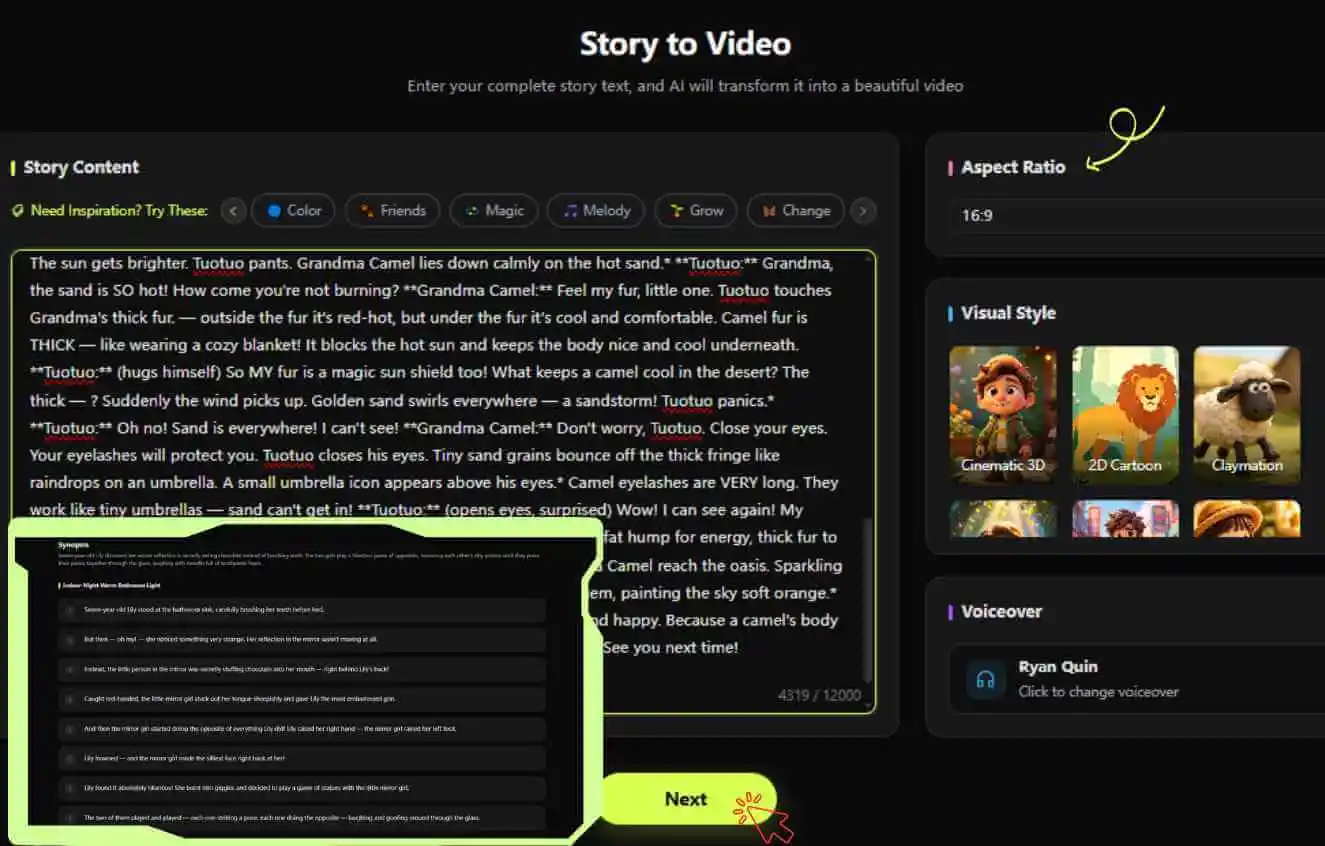
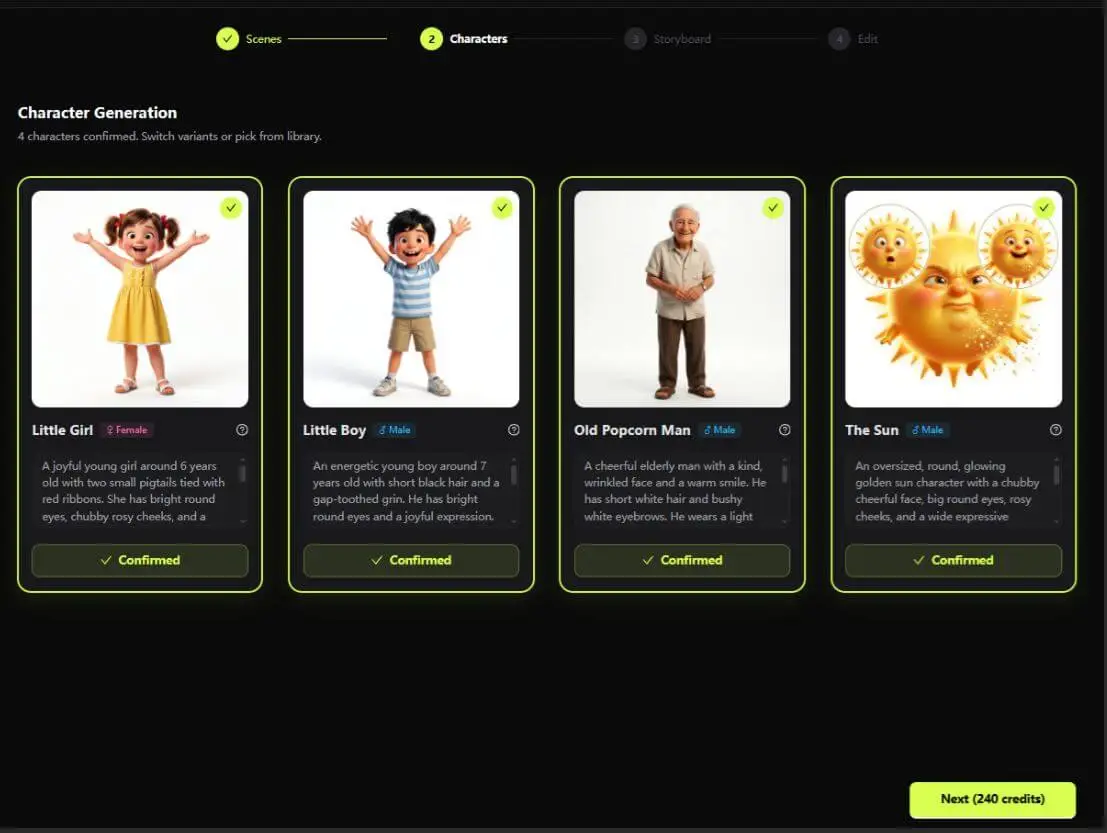
Step 2: Select Characters & 3D Visual Style
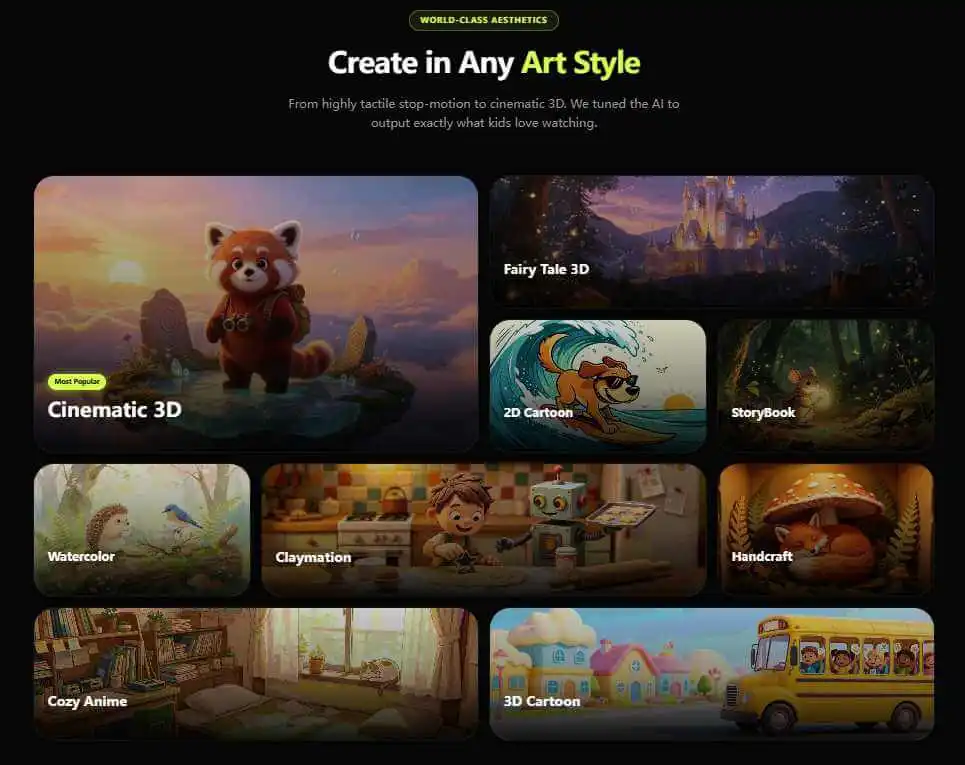
Choose from nine artistic styles, including Cinematic 3D and Storybook presets, offering warm studio-lighting textures and ready-to-use character designs.
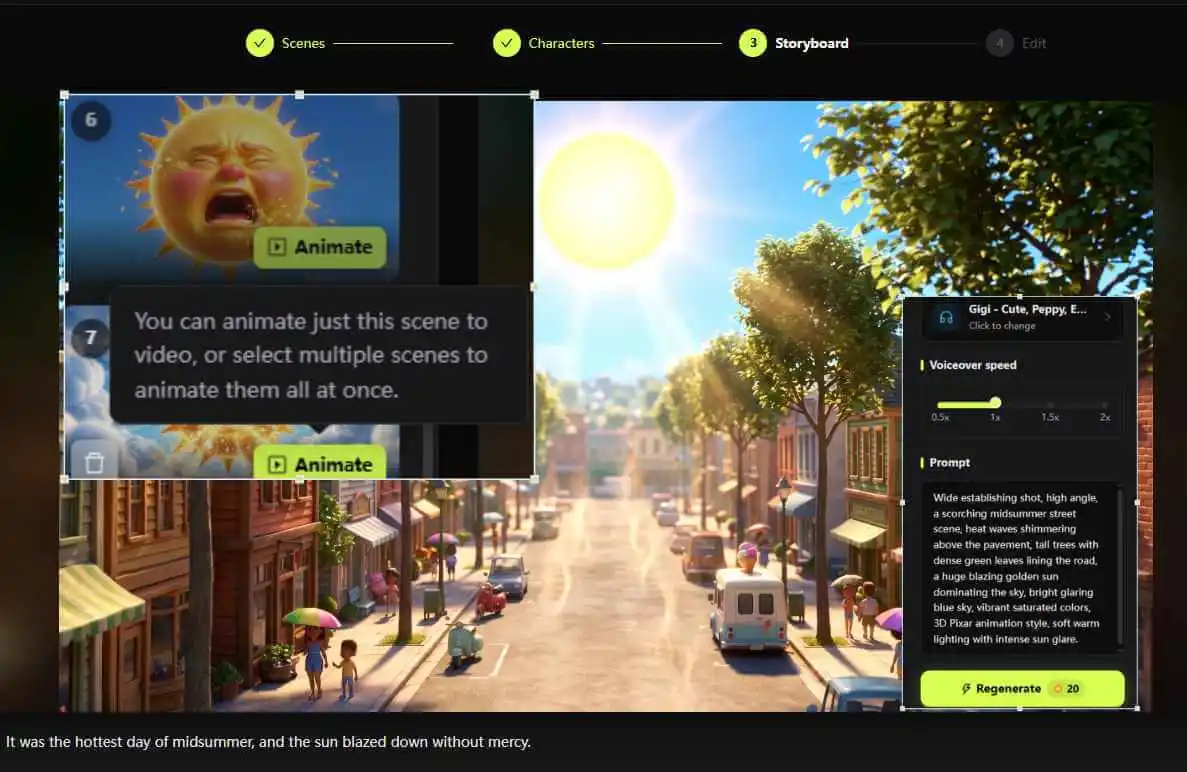
Step 3: Generate and Edit Storyboard
KiVi AI directly generates an editable video storyboard, pairing voiceovers and visuals seamlessly, with full support for swapping, deleting, or uploading replacement images.
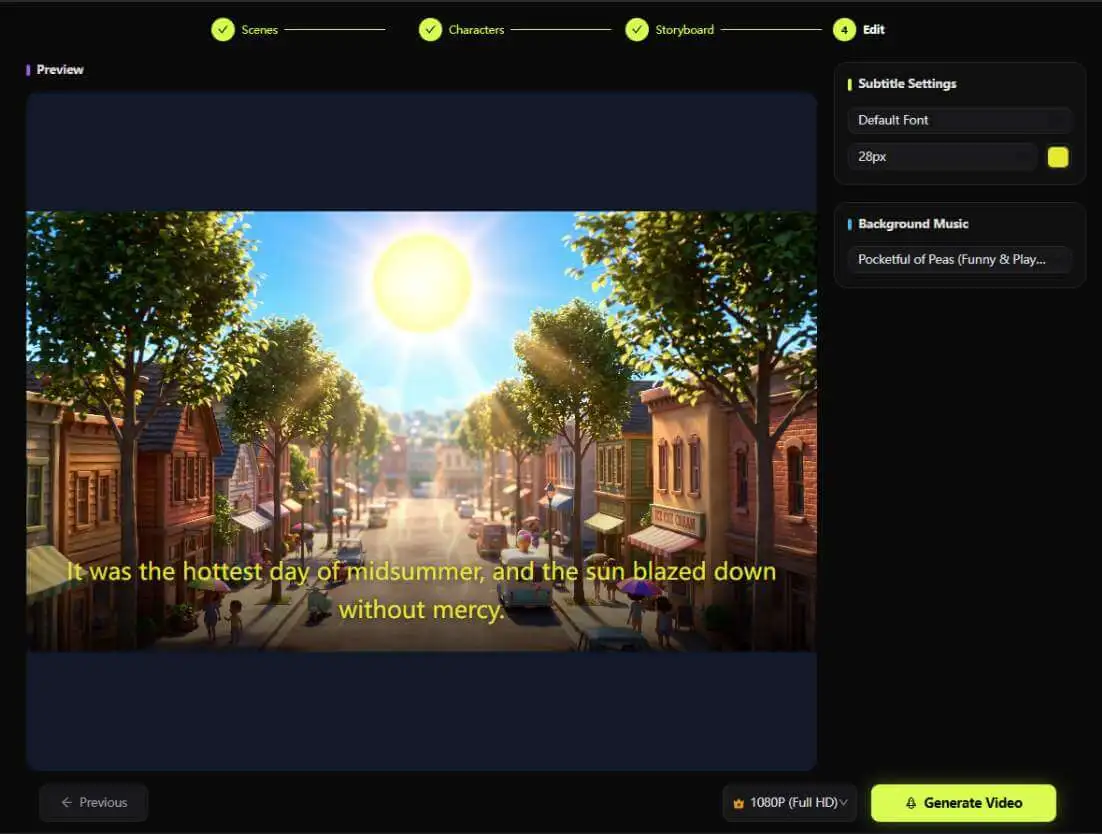
Step 4: Export and Download
Synchronize warm voiceover narration, add synchronized subtitles, and export your finished HD animation file within minutes.
The 4 Best Visual Styles for History Topics
KiVi offers nine artistic styles while ensuring character consistency across scenes—a notoriously tricky bottleneck in AI video tools that KiVi handles reliably. Four styles are explicitly highlighted as ideal for history topics:
- Cinematic 3D: Dramatic lighting and deep textures, naturally suited for grand scales like the age of dinosaurs.
- Storybook: Classic warm illustration vibes, perfect for slow-paced bedtime stories.
- Claymation Animation AI: Stop-motion handmade feel, bringing museum artifacts up close and personal.
- Watercolor: Low-stimulation soft tones, ideal for longer history lessons while being eye-friendly.
Choosing a style actively contributes to the narrative—using Cinematic 3D for dinosaur epics and Claymation for handcrafted artifacts shapes how children emotionally absorb the lesson.
Who is KiVi's History Generator Built For?
Parents: Turn your kids' endless "whys" into a collaborative family project using our rendering mode, 3d wise toon. Choose the clue, set the style, and watch the final product together—bedtime becomes a natural screening room.
Teachers: Use exploration structures to generate an engaging educational AI video for classroom introductions, pre-museum trips, or let students create their own "visible" history assignments. Official FAQs fully support classroom use, provided adults supervise historical accuracy and age appropriateness.
Content Creators: KiVi is explicitly friendly to faceless YouTube channels—clone your own voice for narration (eliminating the need to re-record every episode), maintain character and style consistency for series production, and distribute a single production workflow across six languages: English, Arabic, German, French, Spanish, and Turkish to conquer multiple markets simultaneously.
- 🌿 Nature Science Video Generator → Transform your child's curious questions about ecosystems, wildlife habitats, and natural phenomena into vibrant 3D animated lessons that spark scientific inquiry.
- 🚀 Solar System Video Generator → Take young astronomers on immersive space expeditions through planets, stars, and distant galaxies with low-stimulation, visually engaging cosmic stories.
- 💡 AI Social Story Creator → Craft gentle 3D cartoon narratives designed to support social-emotional learning, helping toddlers navigate empathy, sharing, big feelings, and daily routines.
- 🍎 Kids Fruit Video Generator → Create cheerful, sing-along fruit animations and rhymes that transform healthy eating habits and nutrition into a delightful mealtime routine for young children.
Frequently Asked Questions About History for Kids
Conclusion
The moment a child asks "How was the Colosseum built?" is the absolute best teaching window. KiVi's History for Kids cuts the cost of responding to that window down to minutes: pick a clue, ask a better question, and build a historical adventure kids will actually remember.
Kick off your next history animation based on your child's question today.
Create Your Child's History Animation Today
Turn historical questions into interactive museum adventures and 3D cartoon stories in minutes. Free to try, no credit card required.